
If your leads live in one app, your invoices in another, and your team’s tasks in a third, you don’t need more apps. You need business management software. It fixes the visibility problem by putting sales, finance, operations, and people data into one connected system. This guide explains how it works, which tools to compare, and how to choose the right one.

What most people assume
Business management software is only for big companies with an IT department, and any “all-in-one” tool will solve the problem.
What actually matters
Small teams often gain the most, and the right pick depends on your workflow, team size, and budget, not on the longest feature list.
There are hundreds of options, from free CRMs to full ERP suites, and most vendors describe themselves the same way. That is why a plain, vendor-neutral comparison helps. Below you’ll find definitions, a software list with pricing, free and open-source options, and a simple checklist for choosing.
What Is Business Management Software?
Business management software is a set of digital tools that helps a company run its daily operations, such as sales, finance, inventory, projects, and HR, from one platform. Instead of juggling spreadsheets, email threads, and disconnected apps, your team works from a single source of truth.
The category is broad on purpose. It can mean a lightweight tool for a five-person team or a full enterprise resource planning (ERP) system for a manufacturer. What they share is integration: a sale updates inventory, a new hire updates payroll, and a finished job triggers an invoice without anyone retyping the same data.

How Business Management Software Works
Most systems follow the same basic loop: capture data, automate the handoffs, report on the results, and use those reports to make decisions.
| Layer | What it does | What it replaces |
|---|---|---|
| Data capture | Collects leads, orders, tasks, and expenses in one place | Manual entry, sticky notes, scattered files |
| Workflow automation | Moves work between stages and triggers approvals | Email chains and chat follow-ups |
| Reporting dashboard | Shows live status across teams | End-of-month spreadsheet reports |
| Decision layer | Surfaces bottlenecks, trends, and forecasts | Guesswork and gut-feel calls |
Here is a simple example. A customer places an order, and the system records the sale, reduces stock, creates an invoice, updates revenue, and refreshes the dashboard. Nobody had to copy anything between tools. That chain of automatic handoffs is what separates a real business management system from a pile of separate apps.
Core Features and Functions
Different products bundle different modules, but these are the functions you’ll see most often:
- Accounting and finance: invoicing, expenses, payroll, budgeting, and tax-ready reports.
- Customer relationship management (CRM): contacts, deals, follow-ups, and customer history. See how CRM is defined if you want the background.
- Project and task management: assigning work, setting deadlines, and tracking progress.
- Inventory and operations: stock levels, purchasing, suppliers, and fulfilment.
- Human resources: onboarding, attendance, time off, and performance reviews.
- Reporting and analytics: dashboards that track KPIs across departments.
- Workflow automation and integrations: rules that move work forward and connectors to the tools you already use.
Types of Business Management Software
The label “business management software” covers several categories. Knowing the difference between them prevents a lot of confusion when you start comparing products.
| Type | Main purpose | Best suited to |
|---|---|---|
| ERP | End-to-end control of finance, operations, supply chain, and HR | Manufacturing, logistics, retail, mid-size and larger firms |
| CRM | Managing leads, customers, and the sales pipeline | Sales teams and service businesses |
| BPM | Mapping, automating, and improving business processes (business process management) | Companies with complex, repeatable workflows |
| Project management | Tasks, timelines, and team workload | Agencies, consultants, IT and creative teams |
| Accounting software | Invoicing, bookkeeping, and financial reporting | Freelancers, startups, and small businesses |
| All-in-one suites | Several of the above in one platform | Small and growing teams that want one login and one bill |
ERP is one category within business management software, not a synonym for it. If you’re deciding between ERP and CRM, start with your biggest bottleneck: ERP covers finance and operations, while CRM covers sales and customers.
Benefits of Business Management Software
What you gain
- Time back: repetitive tasks like invoicing and reporting run automatically.
- Fewer errors: data is entered once and reused everywhere.
- Real-time visibility: managers see live numbers, not last month’s report.
- Better collaboration: everyone works from the same records, including remote staff.
- Room to scale: add users, locations, and modules without rebuilding processes.
What it won’t do
- Fix a broken process: automating a bad workflow just makes it faster.
- Replace strategy: software shows the numbers, but you still decide what to do.
- Work without adoption: a tool nobody uses has no value.
- Come free of effort: setup, data migration, and training take real time.
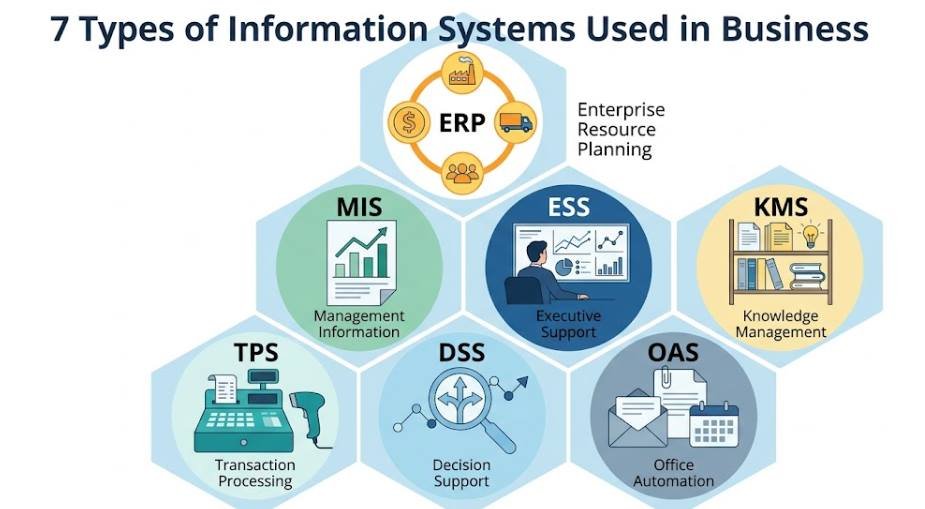
7 Types of Information Systems Used in Business
Business management software sits on top of the information systems a company already relies on. Textbooks group them slightly differently, but these seven are the ones most often listed:
- Transaction processing systems (TPS): record everyday transactions such as sales, payments, and orders.
- Management information systems (MIS): turn transaction data into routine reports for managers. Here’s a general overview of management information systems.
- Decision support systems (DSS): help managers analyze options and run what-if scenarios. See decision support systems for details.
- Executive support systems (ESS): give senior leaders high-level dashboards and trends.
- Knowledge management systems (KMS): store and share company knowledge, documents, and best practices.
- Office automation systems (OAS): cover everyday productivity work like email, documents, and calendars.
- Enterprise resource planning (ERP): integrates finance, operations, supply chain, and HR in one system.
Modern business management platforms blend several of these into one product. A good one captures transactions, produces management reports, and feeds an executive dashboard, all from the same data.
Business Management Software List: Best Options Compared
Here are eight widely used options, from free CRMs to full ERP suites. Prices are starting points, checked in October 2026, and vendors change them often, so confirm the current figure on each pricing page before you budget.
| Software | Type | Best for | Starting price |
|---|---|---|---|
| HubSpot | CRM and marketing platform | Small teams starting with sales and marketing | Free CRM; paid Starter from about $20 per seat per month |
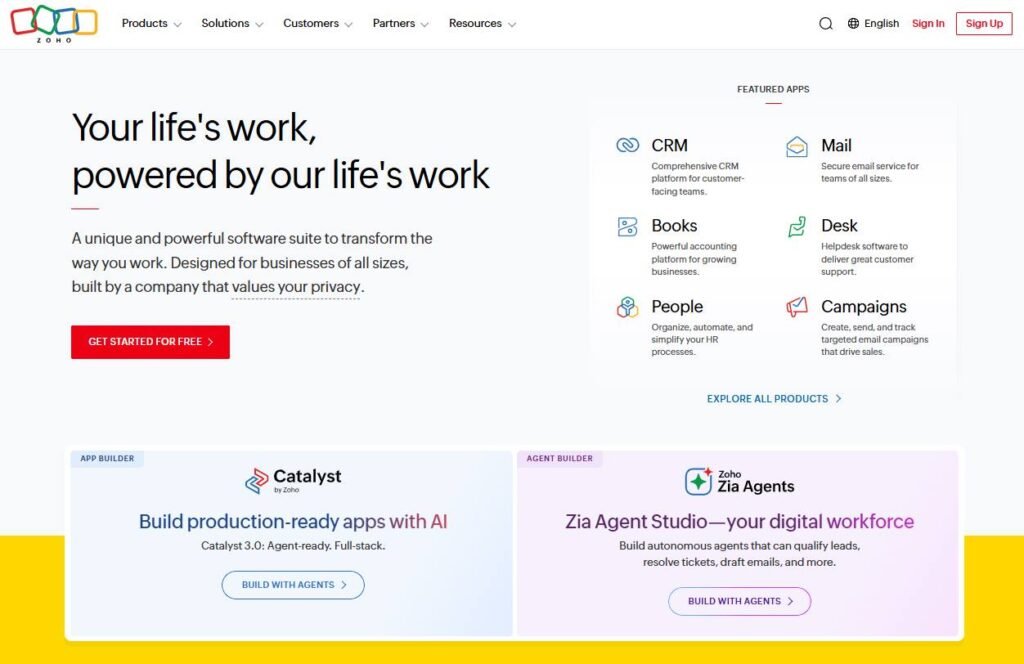
| Zoho One | All-in-one suite (50+ apps) | Companies that want one suite for every department | About $37 per employee per month (all employees), or $90 per user (flexible) |
| Odoo | Modular ERP | Growing businesses that add modules over time | One app free; Standard roughly $25 to $31 per user per month in the US, varies by country |
| Salesforce Starter Suite | CRM for small business | Teams that expect to scale into a larger CRM | Paid plans; see current pricing page |
| Lark | Collaboration and workflow suite | Teams that want chat, docs, approvals, and a no-code database together | Free plan for up to 20 users; Pro about $12 per user per month (billed annually) |
| Vtiger | CRM with help desk and projects | SMBs wanting sales, support, and projects in one CRM | 15-day free trial; open-source edition available |
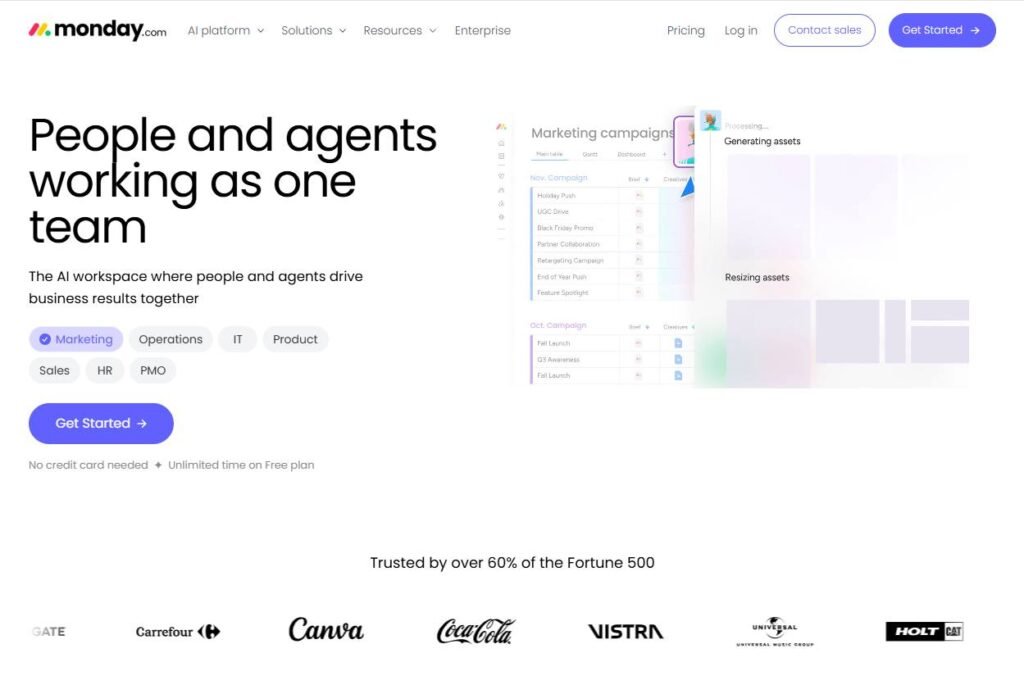
| monday.com | Work management | Project and task-focused teams | Free plan for small teams; paid plans billed per seat |
| ERPNext | Open-source ERP | Businesses wanting full ERP without licence fees | Free to self-host; hosting and support cost extra |
Pricing note: the sticker price is only part of the cost. Implementation, data migration, training, extra storage, and consulting often cost more than the licence in year one. Ask each vendor for a total cost estimate over three years, not just the monthly fee.
Best Business Management Software for Small Businesses
There is no single best option, but small businesses usually do well by matching the tool to their biggest bottleneck. Review sites like G2 and Capterra let you filter reviews by company size, which makes it easier to see how a tool performs for teams like yours.
If sales and customers are the bottleneck
Start with a CRM. HubSpot’s free CRM, Zoho CRM, and Vtiger are all common starting points, and you can add modules later.
If tasks and team coordination are the bottleneck
Look at a work management or collaboration platform such as monday.com or Lark, which combines tasks, documents, and approvals. Start by automating the one handoff that causes the most delays.
If money, stock, and operations are the bottlenecks
Consider a modular ERP such as Odoo or ERPNext, or a dedicated tool like QuickBooks if accounting is your main need.
Free and Open-Source Business Management Software
Searching for “free download” or “GitHub” usually means you want software you can run yourself. Open-source options exist in most categories, and the code is typically published on GitHub:
- Odoo Community: the free edition of a modular ERP, with source code at github.com/odoo/odoo.
- ERPNext: a full open-source ERP from Frappe, available at github.com/frappe/erpnext.
- SuiteCRM: an open-source CRM for sales and customer management. Visit SuiteCRM to learn more.
- Dolibarr: a lightweight ERP and CRM for small businesses and freelancers, at dolibarr.org.
- Vtiger Open Source: a free CRM edition from Vtiger.
Why teams choose free and open source
- No licence fees
- Full control over your data and hosting
- Deep customization if you have developers
- No lock-in to one vendor
What to watch out for
- You pay for hosting, backups, and updates
- Setup usually needs technical skill
- Support is community-based unless you pay a partner
- Some advanced modules are paid-only
Security tip: only download business software from the official website or the project’s official GitHub repository, and never from “free download” mirror sites. Cracked or repackaged installers are a common way for malware to reach company data.
Which CRM Is Best for Beginners?
For most beginners, the best CRM is the one your team will actually open every day. HubSpot’s free CRM is a popular starting point because it costs nothing to try and is easy to set up. Zoho CRM, Vtiger, and Salesforce Starter Suite are also built with small teams in mind.
When you compare beginner-friendly CRMs, check these four things:
- A usable free plan or trial so you can test it with real contacts.
- Simple setup that doesn’t need a consultant.
- Email and calendar integration with the tools you already use.
- A clear upgrade path so you don’t have to migrate everything when you grow.
Want a closer look? Start a free trial of two options from the list above and test them with your own contacts.

What Software Do CEOs and Top Executives Use?
There is no single list that every CEO follows, and what executives use depends on company size and industry. In practice, most rely on a handful of tool categories rather than one platform:
| Category | Common examples | Why executives use it |
|---|---|---|
| Communication | Slack, Microsoft Teams, Zoom, Google Meet | Quick decisions and team updates |
| Productivity suites | Google Workspace, Microsoft 365 | Email, documents, and calendars in one place |
| CRM | Salesforce, HubSpot | Pipeline and customer health at a glance |
| Analytics and BI | Power BI, Tableau, built-in dashboards | Company KPIs without waiting for reports |
| Project and OKR tracking | Asana, monday.com, Smartsheet | Progress on priorities and goals |
| Finance and ERP | SAP, NetSuite, QuickBooks, Odoo | Cash flow and financial reporting |
The takeaway for a smaller business is that executives rarely want more tools. They want fewer screens and one trusted dashboard. That is exactly what a connected business management system provides.
How to Choose the Right Software
Use this checklist to narrow the field before you book a single demo:
- Define the problem first. Write down the three tasks that waste the most time each week.
- Match the size of the tool to your team. A five-person team rarely needs a full ERP.
- Check integrations. The software should connect to your email, accounting, and payment tools.
- Look at scalability. Can you add users, modules, and locations without switching platforms?
- Test ease of use. If your team can’t work it out in an afternoon, adoption will suffer.
- Review security and data export. You should be able to get your data out in a standard format.
- Calculate the total cost. Include setup, training, support, and add-ons over three years.
- Run a trial with real data. Demo data hides how a tool behaves in real conditions.
Common Mistakes and Implementation Challenges
Most failed rollouts come from planning problems, not bad software. These are the mistakes that show up most often:
- Choosing on price alone. The cheapest tool becomes expensive if it can’t grow with you.
- Automating a broken process. Map and fix your workflow before you digitize it.
- Skipping training. Staff who don’t understand the system will go back to spreadsheets.
- Rolling everything out at once. A phased launch, starting with one team or module, lowers risk.
- Treating data migration as copy and paste. Clean your data first, or old errors move into the new system.
- Over-customizing. Heavy customization makes upgrades harder and costs more to maintain.
- Ignoring ownership. Name one person responsible for the system and its data quality.
Quick rule: start with one workflow, such as invoicing or lead tracking. Get it working well for a month, then add the next. A small win builds the team habits that make larger rollouts succeed.
Signs Your Business Needs Business Management Software
You don’t need a formal audit to know when spreadsheets have stopped working. If three or more of these situations sound familiar, it’s probably time:
- You check three or more apps to answer one customer question.
- Invoices go out late because finance waits on someone else’s spreadsheet.
- Nobody can say how many jobs or orders are in progress right now.
- Someone spends hours every week compiling reports by hand.
- The same customer details are typed into several tools.
- Growth feels like it adds chaos instead of revenue.
- Decisions rely on gut feeling because the data is out of date.
If that list sounds like your week, you can begin with a single pain point and a free trial.
FAQs
What is business management software?
Business management software is a set of digital tools that manages core operations such as finance, sales, projects, inventory, and HR from one connected platform. It replaces scattered spreadsheets and apps with shared data and automated workflows, so teams work from one source of truth.
What is the best software for business management?
It depends on your size and your biggest bottleneck. Small teams often start with a CRM like HubSpot, an all-in-one suite like Zoho One, or a modular ERP like Odoo. Larger companies may need a full ERP. Compare options in the software list above and test two or three with real data before you commit.
Which CRM is best for beginners?
HubSpot’s free CRM is a common first choice because it is free to start and quick to set up. Zoho CRM, Vtiger, and Salesforce Starter Suite are also aimed at small teams. Pick the one with a usable free plan or trial, simple setup, and an easy upgrade path.
What are the top 10 most commonly used software in business?
There is no official ranking, but these categories and examples show up in most companies: Microsoft 365 or Google Workspace (productivity), Slack or Microsoft Teams (communication), Zoom (meetings), Salesforce or HubSpot (CRM), QuickBooks (accounting), SAP, NetSuite, or Odoo (ERP), Asana or monday.com (project management), and Power BI or Tableau (analytics). Which ones suit you depends on your industry and size.
What apps do CEOs use?
Most executives lean on communication tools (Slack, Teams, Zoom), a productivity suite (Google Workspace or Microsoft 365), a CRM or analytics dashboard, and a project or goal tracker. The common thread is fewer screens and one reliable source for company numbers. See the table above for examples by category.
What are the 7 steps of the business process?
Sources word them differently, but a common version is: identify the process, map how it works today, analyze problems and delays, design the improved process, implement the change, monitor performance, and keep optimizing. Business management software supports every step by making the workflow visible and measurable.
What are the 7 types of information systems used in business?
The seven most commonly listed are transaction processing systems, management information systems, decision support systems, executive support systems, knowledge management systems, office automation systems, and enterprise resource planning systems. The full list with short explanations is in the information systems section above.
Final Thoughts
Business management software works best when it solves a specific, repeated problem. Start with the task that wastes the most time, pick a tool that fits your team’s size and budget, and test it with real data before you commit. A free CRM or a one-app trial is often enough to learn what your business actually needs. Add modules only when the current setup stops keeping up, and keep what makes the work visibly faster.
