
CRM pipeline examples show you what a good pipeline looks like before you build your own. Most small teams build their first pipeline by guessing. Then deals stall, follow-ups slip, and nobody trusts the numbers. This guide gives you six working CRM pipeline examples, with stages, exit rules, and a Kanban view for each, so you can copy one and start this week.
Who this is for
Small teams of 1 to 10 people building their first sales pipeline in a CRM.
What you will get
Six CRM pipeline examples, a chooser table, a free template, and a cost check for Pipedrive, HubSpot and Zoho.
A CRM pipeline is a simple board that shows every open deal and where it sits. If you are new to the tool itself, start with our guide on how to use CRM software. If you already know the basics, jump straight to the quick chooser table and pick from the CRM pipeline examples.
The goal is not a perfect pipeline. The goal is a pipeline your team will actually update. The best CRM pipeline examples prove it: fewer stages, clear rules, and a weekly check beat a clever design every time. This fits the wider needs of business software for small business: simple, cheap, and easy to keep up.

What Is a CRM Pipeline?
A CRM pipeline is a visual list of your open deals, sorted by stage. Each deal is a card. Each stage is a column. You move the card right as the deal gets closer to a sale.
People often mix up a pipeline and a funnel. They are close cousins, but they answer different questions. A pipeline shows what you do with each deal. A funnel shows how buyers drop off at each step. Nutshell explains the same split: the pipeline reflects seller actions, the funnel measures conversion rates.
| CRM pipeline | Sales funnel | |
|---|---|---|
| Main question | What do I do next on this deal? | Where do buyers drop off? |
| Point of view | Seller | Buyer |
| What you track | Deals, stages, next steps, deal value | Conversion rates between steps |
| Who uses it daily | Sales team | Marketing and sales leaders |
| Best use | Weekly deal reviews, forecasts | Fixing leaks in lead flow |
For a small team, the pipeline comes first. Build one from the CRM pipeline examples below, use it for a month, and the funnel numbers will appear on their own.
The 5 Stages Shared by Most CRM Pipeline Examples
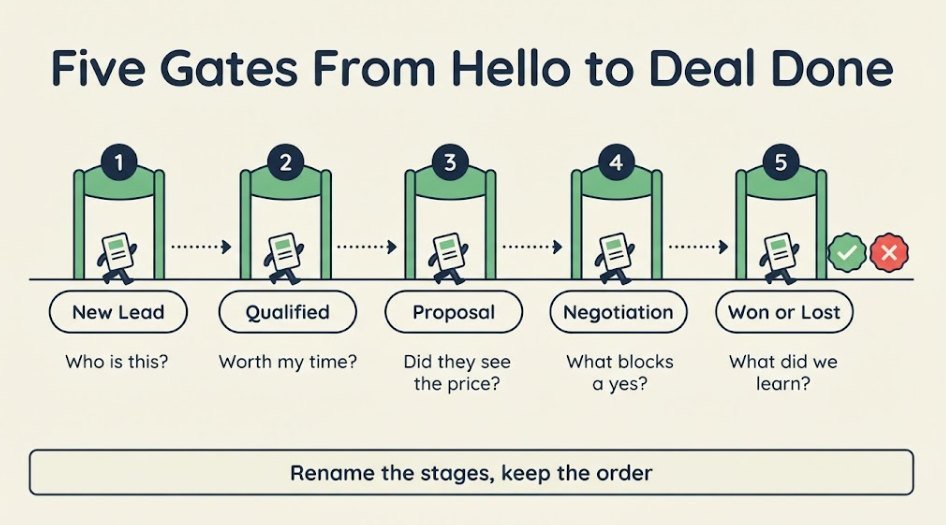
Every sales process looks different, but most healthy CRM pipeline examples share the same five steps. HubSpot’s sales pipeline guide lays out a similar core path. Rename the stages to fit your business, but keep the order.
| # | Stage | Plain-English meaning | Question it answers |
|---|---|---|---|
| 1 | New Lead | Someone showed interest | Who is this and where did they come from? |
| 2 | Qualified | They fit and have a real need | Is this worth my time? |
| 3 | Proposal or Quote | You sent a price or offer | Did they see the numbers? |
| 4 | Negotiation | They are weighing it or asking for changes | What is stopping a yes? |
| 5 | Won or Lost | Final answer | What did we learn? |
Keep it short: Five to seven stages is plenty for a small team. More stages mean more clicking, and people stop updating the board.
How to Write Stage Exit Criteria
Exit criteria are the proof a deal needs before it moves to the next stage. Think of them as a gate. No proof, no move. Every one of the CRM pipeline examples in this guide uses them.
Without gates, every rep moves cards by gut feel. Your forecast becomes a guess. With gates, two people looking at the same deal will put it in the same column.
A simple 3-part rule
- Make it a fact. “They said the budget is $2,000” is a fact. “They seem keen” is not.
- Make it checkable. Another person should be able to confirm it in the CRM in under a minute.
- Make it one line. If you need a paragraph, split the stage.
Good exit criteria
- Budget range is written in the deal notes.
- Quote sent and the date is logged.
- Next step has a date and an owner.
Weak exit criteria
- “Good call”: a feeling, not a fact.
- “Interested”: no proof attached.
- “Will follow up”: no date, no owner.
Quick test: Pick any deal in Proposal. Can a teammate tell, in 30 seconds, why it is there? If not, the exit rule for the stage before it needs work.
How to Track Your Pipeline: Metrics and Weekly Review
You do not need a dashboard full of charts. Whichever of the CRM pipeline examples you pick, track the same six numbers. Check them once a week. That is enough to spot trouble early.
| Metric | What it tells you | How to read it |
|---|---|---|
| Win rate | Share of closed deals you won | Won deals ÷ (won + lost). Track it per source. |
| Average deal size | Typical money per win | Helps you set a realistic target. |
| Sales cycle length | Days from lead to close | Rising days often means a stuck stage. |
| Stage conversion | How many deals pass each gate | The weakest stage is your first fix. |
| Pipeline coverage | Open deal value vs your target | Many teams aim for roughly 3x their target as a starting point. Adjust to your win rate. |
| Stale deals | Deals with no activity in 14 days | Chase them or close them out. |
The 20-minute weekly review
Pick one day and one time. Same slot every week. Keep it short.
- Clear the stale list. Any deal with no touch in 14 days gets a next step or gets closed as lost.
- Check every deal has a next step. A date, an action, an owner.
- Look at the top 5 by value. What does each need to move forward?
- Read the numbers. Win rate, cycle length, coverage. Note any change.
- Fix one thing. One stage rule or one habit. Not five.
This weekly rhythm also pairs well with a simple routine for managing business tasks, so follow-ups never live only in your head.

How to Pick From These CRM Pipeline Examples for Your Team
Match the CRM pipeline examples to how your deals really arrive. If you are still comparing tools, our guide on how to choose business software covers the buying side.
| Your situation | Pick | Stages | Typical cycle | Good starting tool |
|---|---|---|---|---|
| Just me, few deals | Setup 1: Solo Founder | 4 | Days to 2 weeks | Free CRM |
| Leads come to me (forms, ads, referrals) | Setup 2: Inbound-Led | 6 | 1 to 4 weeks | Pipedrive Lite or HubSpot |
| I go out and find leads | Setup 3: Outbound-Led | 6 | 2 to 8 weeks | Pipedrive |
| I send quotes for jobs | Setup 4: Quote-Based Service | 6 | Days to 3 weeks | Zoho Standard or Pipedrive |
| Many people decide, long wait | Setup 5: Long B2B Cycle | 6 | 3 to 9+ months | HubSpot or Zoho Professional |
| I sell again to current customers | Setup 6: Renewals and Upsell | 5 | Tied to contract dates | Zoho or HubSpot |
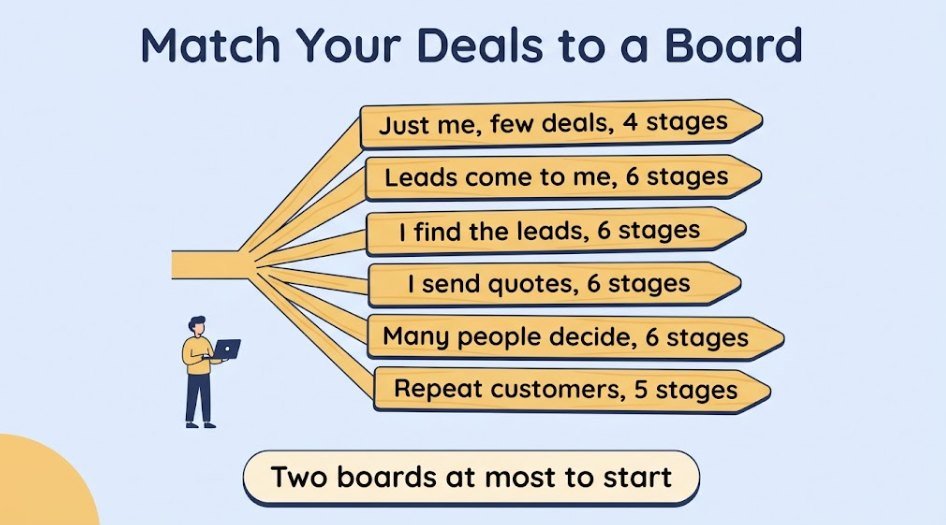
Can I use two? Yes. Many teams run a main pipeline plus a small renewals pipeline. Just avoid running more than two to start.
Setup 1: The Solo Founder Pipeline (4 Stages)
This is the simplest of our CRM pipeline examples. You are the marketer, the seller and the support desk. You need a board you can update in two minutes. Four stages is enough.
Keep a hard cap of about 15 open deals. If the board feels crowded, you are chasing too many cold leads.
| Stage | Exit criteria: move forward only when… |
|---|---|
| Lead | You have a name, a contact method and the reason they reached out. |
| Talking | You had a real conversation and know their need and rough budget. |
| Offer Sent | A price is in their inbox and the date is logged. |
| Won / Lost | They gave a clear yes or no. Loss reason is filled in. |
Best for: one-person businesses, freelancers and new founders with under 15 open deals.
Skip it if: you have a team that needs shared rules or handoffs.
Tool pick: a free CRM plan. You do not need paid features yet.
Setup 2: The Inbound-Led Pipeline (6 Stages)
Leads find you through your website, ads or referrals. Speed matters most in this one of our CRM pipeline examples. The first reply often decides who wins the deal, so this setup puts a clock on the first stage.
Tag every card with its source (form, ad, referral). In 60 days you will see which source wins most.
| Stage | Exit criteria: move forward only when… |
|---|---|
| New Inquiry | A first reply has gone out (aim for under one hour in work hours). |
| Contacted | The lead replied or you spoke with them. |
| Qualified | They pass 3 checks: real need, a budget range, and a timeline. |
| Call / Demo Done | You showed the solution and noted their questions. |
| Proposal Sent | Quote is sent and a follow-up date is set. |
| Won / Lost | Clear answer. Source and loss reason are saved. |
Best for: teams with steady inbound leads from a site, ads or referrals, and 2 to 6 reps.
Skip it if: most of your leads come from your own outreach.
Tool pick: Pipedrive Lite or HubSpot Starter. Add a form-to-CRM link so every inquiry lands as a card.
Setup 3: The Outbound-Led Pipeline (6 Stages)
You find the leads. That means many cold contacts and a low reply rate. This setup tracks effort early, then turns to deal stages once someone replies. A common follow-up habit is the “3-3-3 rule”: three touches across three channels over a short window. There is no single official version, so treat it as a team rule, not a law.
| Stage | Exit criteria: move forward only when… |
|---|---|
| Prospect | Fit is checked and a contact name and email are saved. |
| Touched | You made your planned touches (for example 3 across email, call and social). |
| Replied | A real person answered. Not an auto-reply. |
| Meeting Set | Date and time are booked and confirmed. |
| Proposal | Meeting held, need confirmed, quote sent. |
| Won / Lost | Clear answer. If no reply after the full touch plan, mark Lost: No Response. |
Best for: solo sellers and small teams who prospect daily and need to see effort and results side by side.
Skip it if: you only handle warm inbound leads.
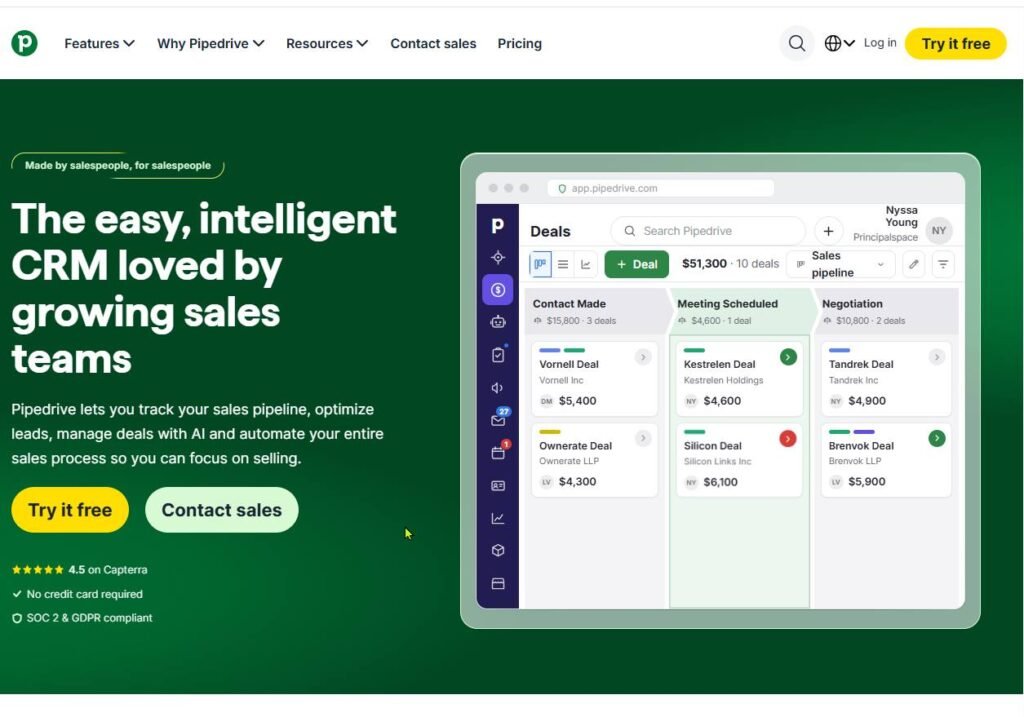
Tool pick: Pipedrive. Its card-and-activity view suits daily outreach. Note that automations sit on higher plans.
Setup 4: The Quote-Based Service Pipeline (6 Stages)
Think roofers, designers, cleaners, event firms and repair shops. The job needs a quote, and the quote is where most deals die. Of all the CRM pipeline examples here, this one puts a timer on the quote and the follow-up.
Track your quote-to-win rate. If it is low, test faster quotes before you cut your price.
| Stage | Exit criteria: move forward only when… |
|---|---|
| Request In | Job type, location and rough size are noted. |
| Scoping | Visit, call or photos done. Scope is written down. |
| Quote Sent | Quote went out within 48 hours of scoping. Date logged. |
| Follow-Up | You followed up at least twice (for example day 2 and day 7). |
| Booked / Won | Deposit paid or signed. Job date set. |
| Lost | Loss reason chosen: price, timing, went elsewhere, no reply. |
Best for: trades, agencies and local service firms where every job needs a custom price.
Skip it if: you sell fixed-price products with no quote step.
Tool pick: Zoho CRM Standard or Pipedrive Lite. Add a “quote value” field and a “quote sent date” field.
Setup 5: The Long B2B Cycle Pipeline (6 Stages)
Deals take months. Many people must agree. A deal can go quiet for weeks and still be alive. Among these CRM pipeline examples, this one guards against a different risk: not speed, but losing the thread. So every stage needs a named contact and a dated next step.
Add a “next step date” as a required field. A deal with no next step date is a deal at risk.
| Stage | Exit criteria: move forward only when… |
|---|---|
| Lead | Company, contact and role are saved. |
| Discovery | Pain points and goals are written in the notes. |
| Evaluation | You know who decides, who pays and who can say no. |
| Proposal | Proposal sent and reviewed on a call with the buyer. |
| Legal and Buying | Contract is with legal or procurement. Date for sign-off is agreed. |
| Closed | Won or Lost. Loss reason and competitor (if any) are filled in. |
Best for: B2B firms selling higher-value services or software with a 3 to 9+ month cycle.
Skip it if: your deals close in a few days.
Tool pick: HubSpot or Zoho CRM Professional. You will want required fields and stage rules.
Setup 6: The Renewals and Upsell Pipeline (5 Stages)
Selling to a current customer is often cheaper than finding a new one. But renewals slip when nobody owns the date. This second pipeline is the odd one out among our CRM pipeline examples: it works off contract dates, not leads.
| Stage | Exit criteria: move forward only when… |
|---|---|
| Active Customer | Renewal date and contract value are saved. |
| 90 Days Out | Owner is assigned and a check-in is booked. |
| Health Check Done | You know how they use the product and any risk or growth chance. |
| Renewal / Upsell Offer | Offer is sent with a decision date. |
| Renewed / Churned | Clear outcome. If churned, the reason is saved. |
Best for: subscription, retainer and contract businesses with repeat revenue.
Skip it if: your customers buy once and rarely return.
Tool pick: Zoho CRM or HubSpot, which both handle date-based reminders well. On Pipedrive, automations need a higher plan.
Free CRM Pipeline Examples You Can Copy Today
You can run any of the CRM pipeline examples above for free. Use a free CRM plan, or even a spreadsheet to start.
Download the template: CRM pipeline template (CSV, opens in Excel or Google Sheets). It has the columns every setup needs: deal name, source, stage, value, next step, next step date, last contact and loss reason. Delete the sample rows and start.
Two real free options are worth a look. HubSpot offers a free CRM with deal pipelines. Zoho CRM has a free edition for up to three users. Pipedrive does not offer a permanent free plan, but it does offer a free trial. Free limits change often, so check each vendor’s page before you commit.
What free plans usually give you
- One pipeline with custom stage names.
- Contacts, deals and tasks in one place.
- Basic reports for deal count and value.
What you usually give up
- Automations: reminders and auto-moves are often paid.
- Multiple pipelines: your renewals board may need an upgrade.
- Required fields: stage rules are often locked behind paid tiers.
Start free. Upgrade only when a missing feature costs you real time, such as chasing follow-ups by hand every day.
How to Build the Same Pipeline in Pipedrive, HubSpot and Zoho
You can build any of these CRM pipeline examples with nearly the same steps in all three tools. Menu names change with updates, so look for “pipelines” or “deal stages” in settings if a label differs.
- Create the pipeline. Name it after the setup, such as “Inbound Sales”.
- Add your stages in order. Use the names from your chosen setup.
- Set stage probability (optional). A rough win chance per stage makes forecasts easier.
- Add custom fields. Source, next step date, loss reason, quote value.
- Import your template. Upload the CSV and map columns to fields.
- Add one reminder rule. For example, alert the owner when a deal has no activity for 14 days.
| Task | Pipedrive | HubSpot | Zoho CRM |
|---|---|---|---|
| Where stages live | Deals view, edit pipeline | Settings, then Objects, then Deals, then Pipelines | Setup, then Customization, then Deals pipeline |
| Custom fields | Yes | Yes | Yes |
| Import CSV | Yes | Yes | Yes |
| Auto reminders | Higher plans | Free tools limited, more on paid | Workflow rules on paid plans |
| Easiest for | Visual daily selling | All-in-one with marketing | Budget-friendly customizing |
Menu paths shift as vendors update their tools, so treat the table as a map, not a manual.
How Much Does Pipeline CRM Software Cost?
Most CRMs charge per user, per month. Annual billing is cheaper than monthly. Pricing pages change often, and review sites do not always agree, so confirm numbers on the vendor page: Pipedrive, HubSpot and Zoho.
| Tool | Free option | Entry paid plan (approx., per user per month) | Watch out for |
|---|---|---|---|
| Pipedrive | Trial only | Around $14 on annual billing (Lite) | Automations need the next tier up. |
| HubSpot | Free CRM tools | Around $15 to $20 for Starter, depending on billing | Cost jumps sharply at Professional, and onboarding fees can apply. |
| Zoho CRM | Free for up to 3 users | $14 (Standard), $23 (Professional) on annual billing | Monthly billing costs more than annual. |
Here is the simple ROI check. A team of 4 on a $14 plan pays about $56 a month, or $672 a year. If the pipeline helps you save just one $1,000 deal per year, it has already paid for itself. For more on budgeting, see our notes on software for small businesses.
Best choice by team size
- 1 person: a free CRM or the CSV template.
- 2 to 5 people: Pipedrive Lite or Zoho Standard.
- Need marketing too: HubSpot, starting on free.
When to hold off on paying
- No weekly review yet: a tool will not fix a missing habit.
- Fewer than 10 deals: free is enough.
- Unsure of your stages: test on free first.
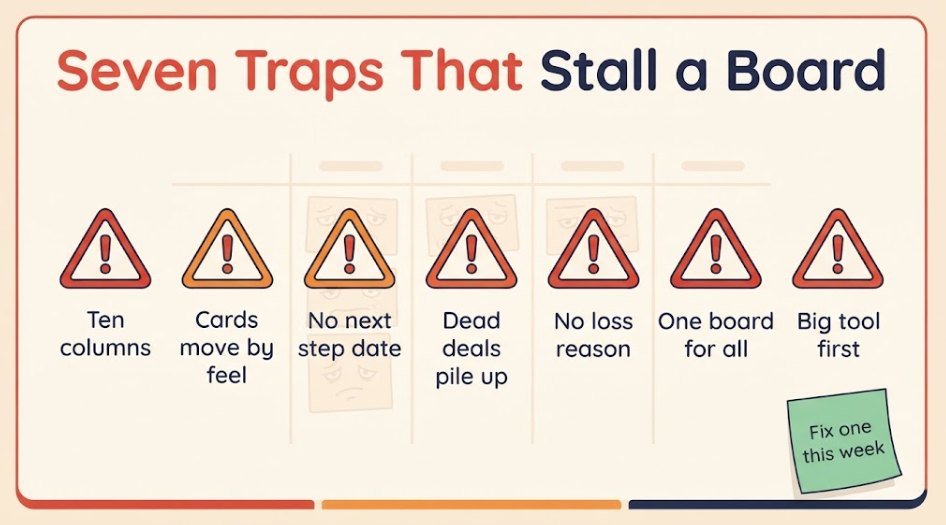
Mistakes Small Teams Make When Using CRM Pipeline Examples
- Too many stages. Ten columns means nobody updates them. Stay at five to seven.
- No exit criteria. Cards move by feeling, and the forecast becomes fiction.
- No next step on a deal. A card without a date is a card that will go cold.
- Never closing dead deals. Old cards inflate your pipeline and hide the real picture.
- Skipping loss reasons. Lost deals are your best free research.
- One pipeline for everything. New sales and renewals follow different rules. Split them.
- Buying a big tool first. Prove the process on a simple board, then pay for features.
Fix one this week: Pick the mistake that hurts most and fix only that. Small changes stick.
Frequently Asked Questions
What is a CRM pipeline?
A CRM pipeline is a visual board of your open deals, sorted by stage from first contact to won or lost. It shows what each deal needs next. The six CRM pipeline examples in this guide show how that looks in practice.
What is the difference between a sales pipeline and a sales funnel?
A pipeline tracks the actions you take on each deal. A funnel measures how many buyers move from one step to the next. Small teams should build the pipeline first.
What are the 5 stages of a sales pipeline?
Most CRM pipeline examples start from a five-stage path: New Lead, Qualified, Proposal, Negotiation, and Won or Lost. Rename them to fit your business, but keep the order.
How many stages should a CRM pipeline have?
Five to seven is enough for most small teams. A solo founder can work well with four. More than eight usually means people stop updating the board.
What is the 3-3-3 rule in sales?
There is no single official version. A common one is three touches, across three channels, over a short window such as three days or three weeks. This guide describes one version. Treat it as a team follow-up rule and write down your own.
How do I build a CRM pipeline from scratch?
List your real steps from first contact to payment. Group them into five to seven stages. Write one exit rule per stage. Then build it in your CRM or load the free template. Our guide to using CRM software covers the basics.
Which CRM is best for a small sales team?
It depends on your setup. Solo sellers can start on a free plan. Teams of 2 to 5 often pick Pipedrive Lite or Zoho Standard. If you also want marketing tools, HubSpot is a common choice. Check current prices before buying.
Can I build a CRM pipeline for free?
Yes. You can run any of these CRM pipeline examples on a free plan. HubSpot and Zoho both offer free CRM plans, and you can start with a spreadsheet. Free plans limit automation and extra pipelines, so upgrade only when a gap costs you time.
Final Thoughts
A good CRM pipeline is simple, honest and reviewed every week. Pick one of the CRM pipeline examples from the chooser table, write one exit rule per stage, and start on a free plan. Upgrade when the process works and a paid feature clearly saves time. For more tool guides, visit our Business Software Hub.
