
Here is how to log sales calls in CRM software in five simple steps. You finish a great call. Two weeks later, you cannot remember the budget, the deadline, or what the client was worried about. This guide fixes that, so you never walk into a follow-up cold.
Who this is for
Freelancers who run their own sales calls and have no sales team to back them up.
What you get
A 5-step routine, a note template, a freelancer checklist, and a pricing comparison of free and low-cost CRMs.
A CRM (customer relationship management) tool is simply a place to store who you talked to, what was said, and what happens next. If you are new to the idea, our guide on how to use CRM software covers the basics. This post focuses on one habit: logging every sales call.
Why Freelancers Forget What Was Said on Sales Calls (and What It Costs You)
Memory fades fast. Research on the forgetting curve shows we lose a large share of new information within days unless we write it down or review it. Sales calls are no exception.
Freelancers have it harder. You are the seller, the delivery team, and the accountant. You take calls between client work. Details blur together.
Here is what forgetting costs you:
- Lost deals. You ask a question the prospect already answered. They feel unheard.
- Wrong quotes. You misremember the scope and price the job too low.
- Missed follow-ups. A warm lead goes cold because you forgot to reply.
- Wasted time. You re-ask basic questions on every call.
The fix is cheap. Five minutes of logging after each call protects every deal in your pipeline.
What to Log After Every Sales Call
Do not write a diary. Capture the facts that decide whether you win the job. Use this checklist.
| What to log | Why it matters | Example |
|---|---|---|
| Budget | Stops you from quoting out of range | “$2,000–$3,000, can stretch if ROI is clear” |
| Deadline | Shapes your price and your schedule | “Launch by March 15” |
| Scope | Prevents scope creep later | “5-page site, no blog, no store” |
| Objections | Tells you what to address in your proposal | “Worried about past freelancer who vanished” |
| Decision maker | Shows who signs off | “Needs approval from partner, Dana” |
| Personal details | Builds trust on the next call | “Just ran a marathon, has a new puppy” |
| Next step | Keeps the deal moving | “Send proposal by Friday” |
Quick rule: If the detail could change your price, your timeline, or your tone on the next call, log it.

Step 1: Pick a CRM That Fits a One-Person Business
You do not need a big system. You need one that is simple, cheap, and works on your phone. Enterprise tools have too many fields and too many menus. You will quit using them.
Look for four things:
- A free or low-cost plan. Your tool should cost less than one small project.
- Easy call logging. One click to add a note to a contact.
- Task reminders. So follow-ups do not slip.
- A mobile app. So you can log from the car or the café.
Our guide to choosing business software and our page on business software for small business go deeper. For a quick shortlist, jump to the comparison table below.
Step 2: Create a Contact Record Before the Call
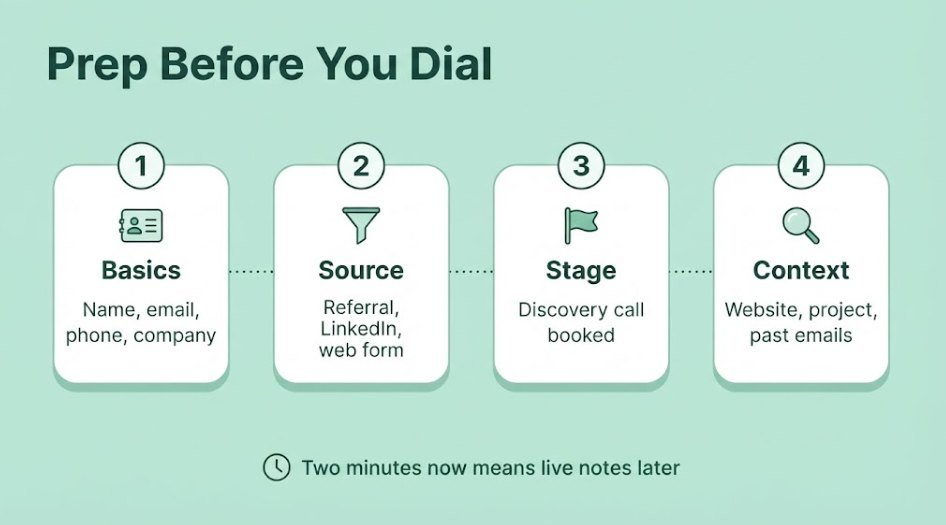
Set up the record before you dial. It takes two minutes. It also means you can type notes live.
- Add the basics. Name, email, phone, company.
- Add the source. Referral, LinkedIn, website form. This shows which channels pay off.
- Set a deal stage. For example: “Discovery call booked.”
- Paste in what you know. Their website, the project they mentioned, any past emails.
Step 3: How to Log Sales Calls in CRM Right After You Hang Up
Do it within five minutes. Not tonight. Not tomorrow. Details fade quickly, and you will take another call before you know it.
Each tool has its own buttons, and menu names change over time. The steps below show the general path. Check each tool’s help pages if a label looks different: HubSpot Knowledge Base, Zoho CRM Help, and Salesforce Help.
HubSpot
- Open the contact record.
- Click Log activity (or the call option on the left side).
- Choose Call, set the outcome and date, and type your notes.
- Save. The call now shows on the contact’s timeline.

Zoho CRM
- Open the contact or deal.
- Find the Activities section and add a Closed Call (a call that already happened).
- Fill in the subject, call result, and description. Put your notes in the description.
- Save.
Salesforce
- Open the lead, contact, or opportunity.
- On the activity panel, choose Log a Call.
- Add a subject and your notes in the comments box.
- Save.
Heads up: Salesforce is built for larger teams. Most solo freelancers will find it heavier than they need. See the comparison below.
Step 4: Write Notes You’ll Understand in Two Weeks
Bad note: “Good call. Interested. Follow up.” That tells you nothing in two weeks.
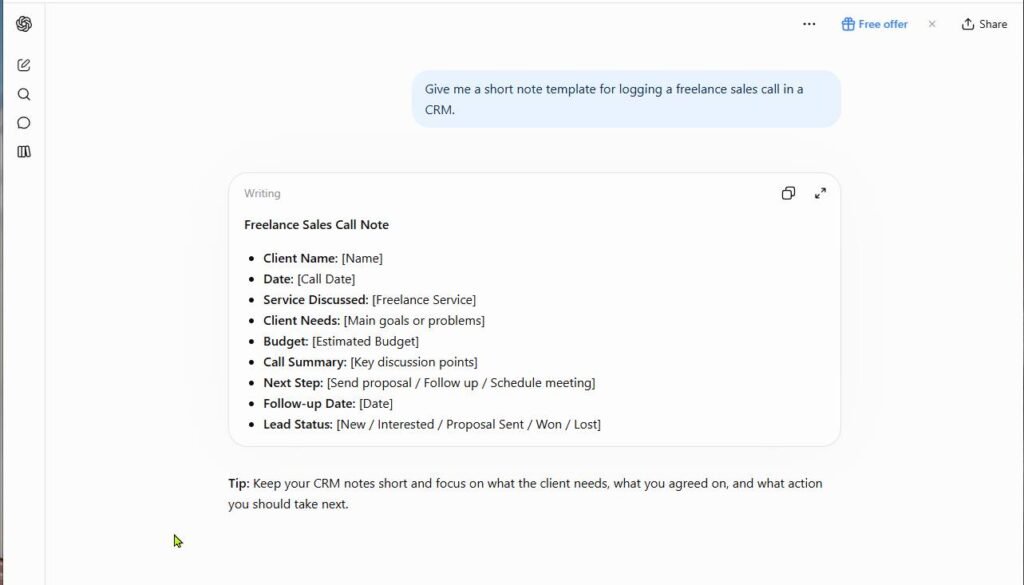
Good notes are short, specific, and written in plain words. Use the same layout every time. Copy and paste this template into your CRM:
CALL DATE:
GOAL OF CALL:
BUDGET:
DEADLINE:
SCOPE (what they want):
NOT INCLUDED:
OBJECTIONS / WORRIES:
DECISION MAKER:
PERSONAL DETAIL:
THEIR EXACT WORDS (1 quote):
NEXT STEP + DATE:
Three habits make notes better:
- Use numbers. Write “$3,000” not “mid-range budget.”
- Quote them. Their exact words show what they care about.
- Skip the filler. If it does not help you win or deliver the job, leave it out.
Step 5: Set a Follow-Up Task Before Your Next Call
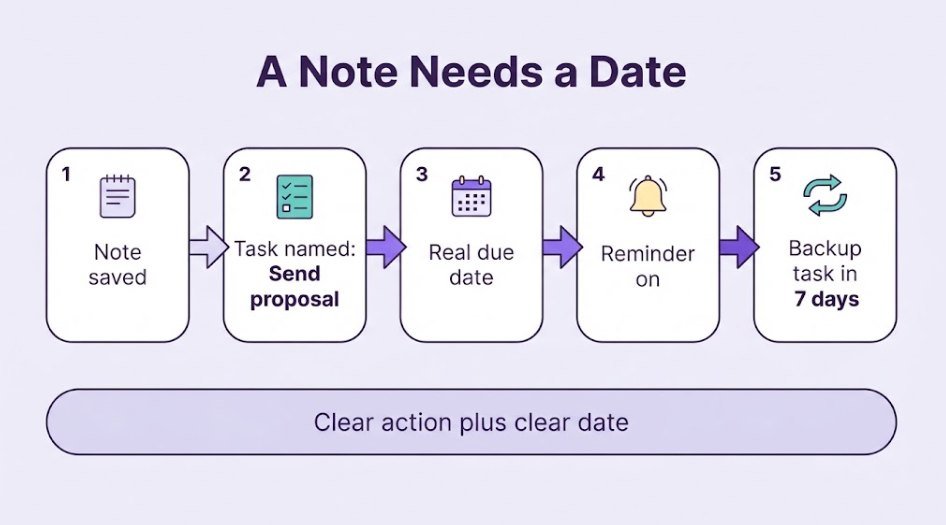
Logging is only half the job. A note without a task just sits there. Before you close the record, create a follow-up with a date.
- Name the action. “Send proposal,” not “Follow up.”
- Pick a real date. Match what you promised on the call.
- Turn on reminders. Email or phone alerts both work.
- Add a backup. If they go quiet, set a second task seven days later.
Want to track tasks beyond sales? See our guide on how to manage business tasks.
How to Review Your Call Log Before the Next Conversation
This is where logging pays you back. Most freelancers log notes and never read them again. Do not skip this part.
Spend five minutes before every call with this routine:
- Read the last note. Start with the “next step” line.
- Scan the objections. Plan a clear answer for each one.
- Check budget and deadline. Make sure nothing has changed.
- Note the personal detail. Open with it. “How was the marathon?” builds trust fast.
- Write one goal. What must this call achieve?
Weekly check: Every Friday, open your list of deals. Sort by last contact date. Anyone you have not contacted in 10 days gets a follow-up.
Manual vs. Automatic Call Logging: Which Should You Choose?
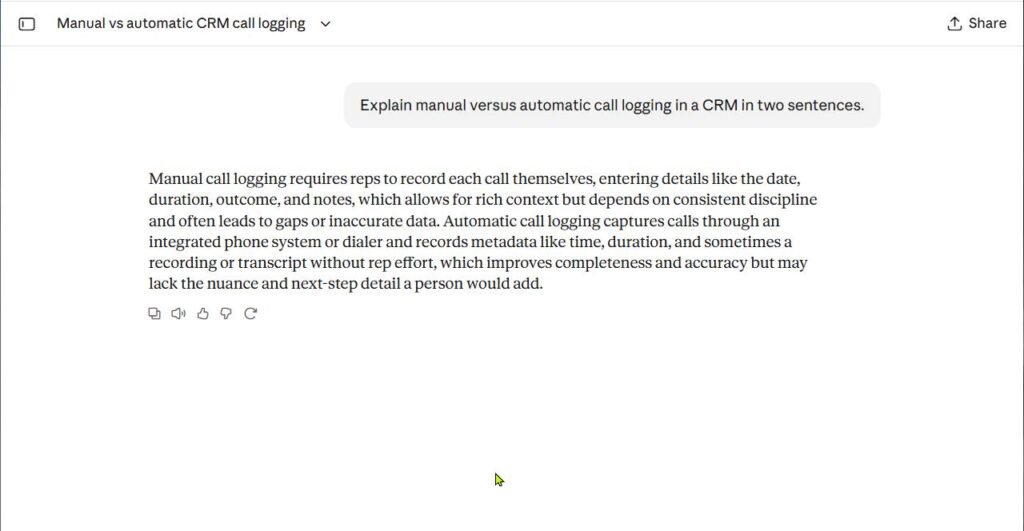
Some CRMs can log calls for you if you call from inside the tool or connect a phone line. Others need you to type everything. Here is how they compare.
| Feature | Manual logging | Automatic logging |
|---|---|---|
| Cost | Free on most plans | Often needs a paid plan or phone add-on |
| Setup time | None | Some setup needed |
| Note quality | High. You write what matters. | Mixed. Often only time, number, and length. |
| Effort | Five minutes per call | Less typing |
| Risk | You forget to log | Logs exist but contain no detail |
| Best for | Freelancers with 1–10 calls a week | High call volume |
Our pick for most freelancers: start manual. You only make a handful of calls each week, and your own notes are worth more than an automatic call stamp. Add automation later if your call volume grows. If you record calls, check the laws in your area first and tell the other person.
How to Log Sales Calls in CRM on Your iPhone
You are often away from your desk after a call. Your phone is the fastest place to log it, so here is how to log sales calls in CRM from your iPhone.
- Install the CRM’s iPhone app. HubSpot, Zoho CRM, and Salesforce all offer one in the App Store.
- Open the contact. Use search to find them fast.
- Add a call or note. Look for the plus (+) button or the activity option.
- Use voice typing. Tap the microphone on the iPhone keyboard and speak your notes.
- Set the follow-up task before you close the app.
Pro tip: Pin your note template in the Apple Notes app. Copy it into the CRM, then speak your answers. Your logging will take under three minutes.
Best CRM Software for Tracking Sales Calls (Free and Under $30/Month)
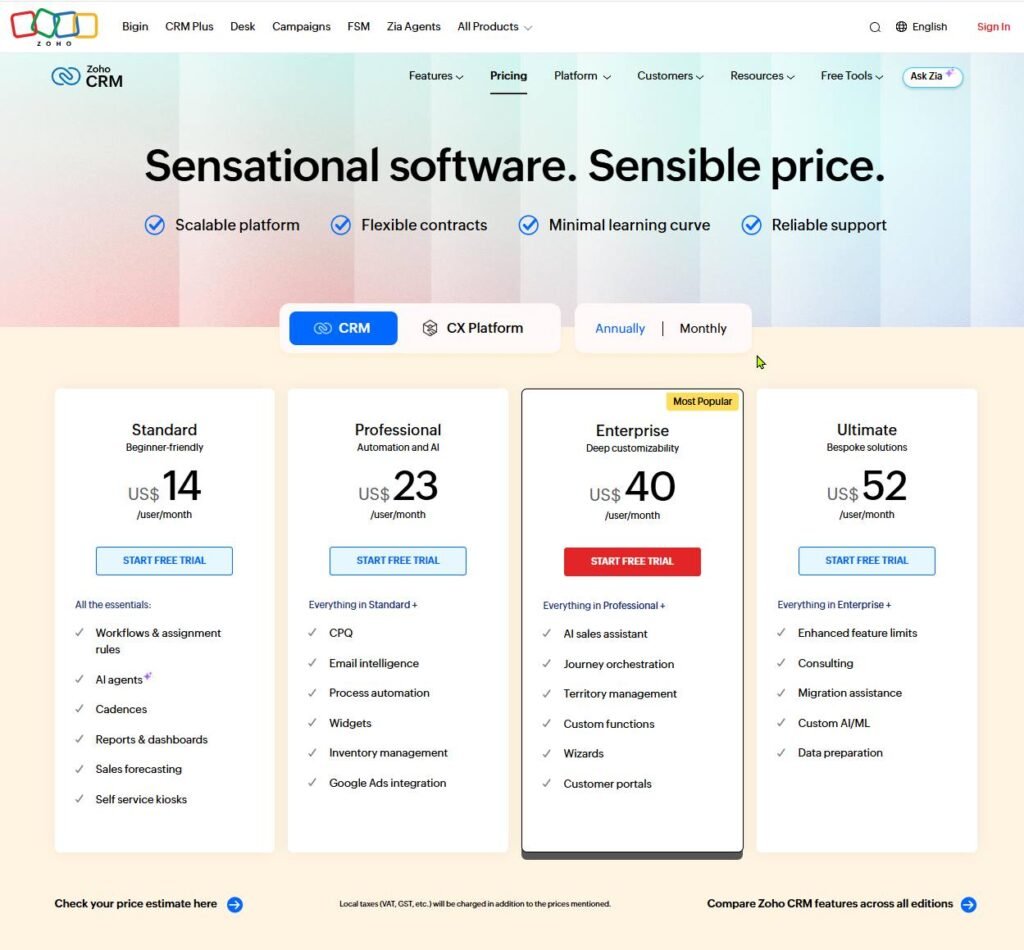
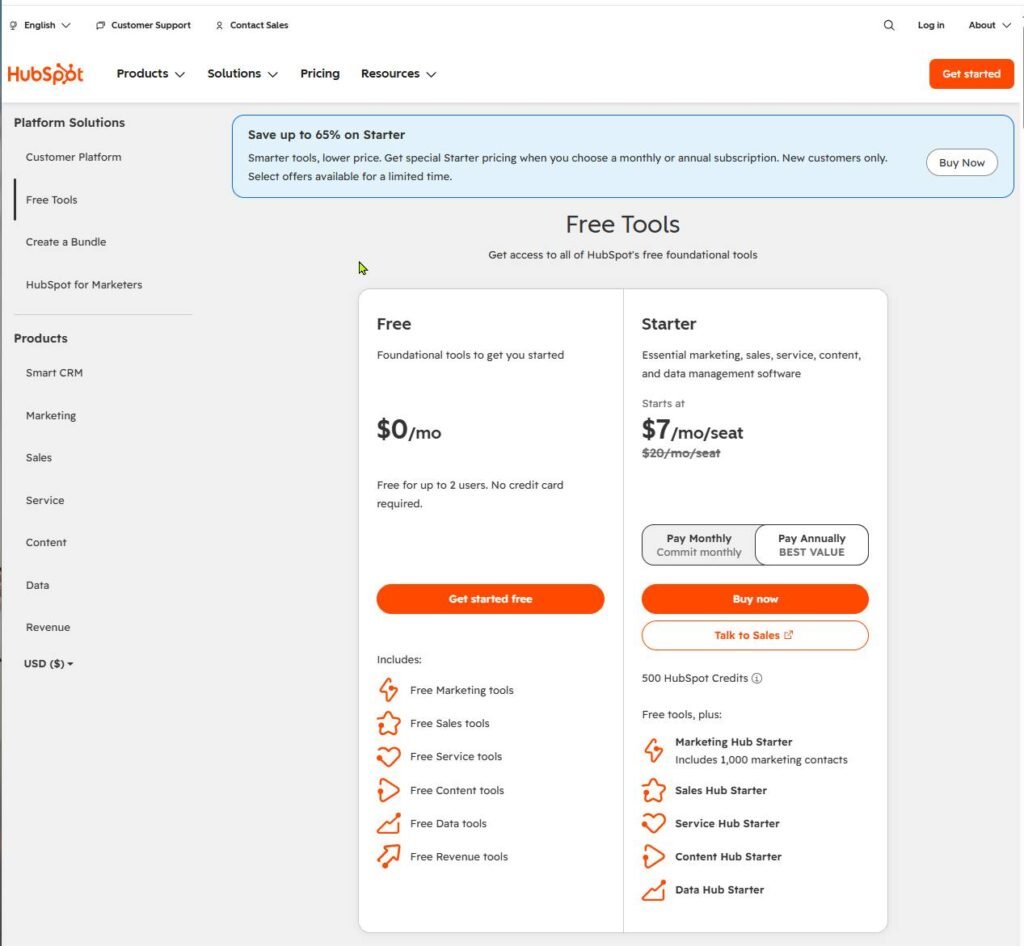
Prices change often, so always confirm on the vendor’s page. The table below shows what to expect. Zoho’s paid plans start at about $14 per user per month on annual billing, with a free edition for up to three users, according to Zoho’s pricing page. Check the other pricing pages here: HubSpot, Pipedrive, and Capsule.
| CRM | Free option | Paid plans | Best for | Watch out for |
|---|---|---|---|---|
| HubSpot CRM | Yes, free CRM | Starter tiers are low-cost; higher tiers climb fast | Freelancers who want an easy start and email tracking | Upgrades can get pricey |
| Zoho CRM | Yes, up to 3 users | About $14/user/month (annual) | Budget-minded freelancers who want room to grow | More menus to learn |
| Pipedrive | Free trial only | Entry plans in the low-cost range | Freelancers who think in deal stages | No free plan |
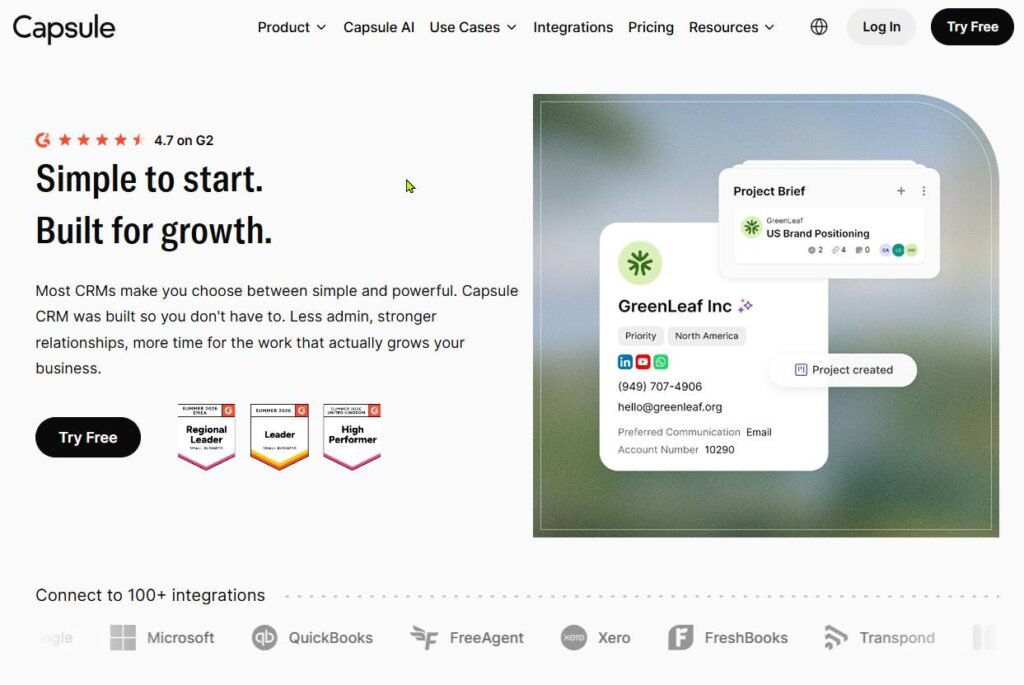
| Capsule | Yes, limited contacts | Low-cost paid tiers | Simple contact and task tracking | Fewer advanced features |
| Salesforce | Trial only | Typically higher than the others | Teams with complex needs | Too heavy for most solo work |
Which should you choose?
Best fit by situation
- Just starting out: HubSpot free CRM or Zoho free edition.
- 10+ active deals: Pipedrive or Zoho Standard.
- You hate complexity: Capsule.
Skip if
- You work alone: Avoid Salesforce.
- You need $0: Skip tools with trial-only access.
- You dislike apps: Skip tools with weak mobile support.
Browse more tools in our Business Software Hub.
Common Mistakes When Logging Sales Calls
Mistakes
- Waiting until later: Details are gone by tonight.
- Vague notes: “Went well” is useless.
- No next step: Deals stall without a date.
- Never rereading notes: Logging without review wastes the effort.
- Too many fields: A complex setup gets abandoned.
Better habits
- Log in 5 minutes: Block time after each call.
- Use the template: Same fields every time.
- Always add a task: One action, one date.
- Review before calls: Five minutes is enough.
- Keep it lean: Track only what you use.
Not sure you are ready for a CRM yet? Read when you need business software.
Frequently Asked Questions
How do I log a sales call in a CRM?
Open the contact record, choose the option to log a call or add an activity, then add the date, outcome, and notes. Finish by setting a follow-up task with a due date.
What should I write in call notes?
Write the budget, deadline, scope, objections, decision maker, one personal detail, and the next step. Use numbers and short sentences.
Is there a free CRM for freelancers?
Yes. HubSpot offers a free CRM, and Zoho CRM has a free edition for up to three users, according to Zoho’s pricing page. Free plans have limits, so check what is included before you commit.
When should I log a call?
Right after you hang up, ideally within five minutes. Your memory is sharpest then.
Can I log calls from my iPhone?
Yes. Most major CRMs have an iPhone app. Add a note to the contact, use voice typing to save time, and set your follow-up task before you close the app.
Should I use a spreadsheet instead of a CRM?
A spreadsheet works for a handful of leads. A CRM is better once you have many deals, because it adds reminders, a call history on each contact, and mobile access. Our guide on using CRM software explains the difference.
Is it legal to record sales calls?
It depends on where you and the other person are. Some places need consent from everyone on the call. Always ask permission first and check your local rules. Written notes avoid the issue.
Final Thoughts on How to Log Sales Calls in CRM
Forgetting a call detail can cost you a client. Knowing how to log sales calls in CRM takes five minutes a call. The routine is simple: pick a light CRM, create the contact, log right after the call, write clear notes, and set a follow-up. Then review before your next conversation.
Start free. Use the template above on your next call. Once the habit sticks, upgrade only if you need more. For more tools and guides, visit our Blog Hub or the Business Software category. Some links on this site may be affiliate links; see our affiliate disclosure.
