
Customer details end up in emails, notebooks, and spreadsheets. Follow-ups get missed. Sales slip away. CRM software fixes this by putting everything in one place. This guide shows you 7 simple ways to use it to manage customers and sell more.
Who this is for
Small business owners, freelancers, and small sales teams who are new to CRM and want a clear starting point.
What you will learn
What CRM is, 7 practical ways to use it, the top 5 tools compared, and how to get started in 5 steps.
Most small businesses start by tracking customers in a spreadsheet or inbox. It works for a while. Then the list grows, and things get lost. A CRM is built to stop that. Apptivo reported, citing industry research, that 91% of companies with more than 10 employees were already using a CRM (as of 2021). It is no longer just for big companies.

What Is CRM Software and How Does It Work?
CRM stands for Customer Relationship Management. A CRM is software that stores everything about your customers and leads in one place. That includes names, emails, phone numbers, past orders, notes, and every conversation you have had with them.
Here is how it works in simple steps. A new lead fills in your website form. The CRM saves their details. You add a deal, set a reminder to call them, and move the deal forward as it progresses. Your whole team can see the same information. If you are new to business tools in general, start with our guide on what business software is and what it can do.
The 3 Types of CRM
Most CRM tools fall into three types, as InvestGlass explains. Many modern tools mix all three.
- Operational CRM: Handles daily work like tracking leads, sending emails, and managing sales tasks.
- Analytical CRM: Turns your customer data into reports so you can see what is working.
- Collaborative CRM: Lets sales, marketing, and support share the same customer information.
The 7 C’s of CRM
The 7 C’s are a simple checklist for good customer care. There is no single official list, and sources vary. One common version, described by WalkMe, includes:
- Customer centricity: Put the customer first in every decision.
- Company culture: Make sure your whole team cares about customers and uses the CRM.
- Customer experience: Make every interaction smooth and helpful.
- Customer data: Keep accurate, up-to-date records.
- Customer journey: Understand every step a person takes before and after buying.
- Consumer experience: Look at how people feel about your brand overall.
- Expectation: Know what customers expect, and meet it.
Keep it simple: You do not need to memorize the 7 C’s. If you remember one idea, make it this: good customer data plus good follow-up equals happier customers.
Is Excel a CRM? Why Dedicated Software Works Better
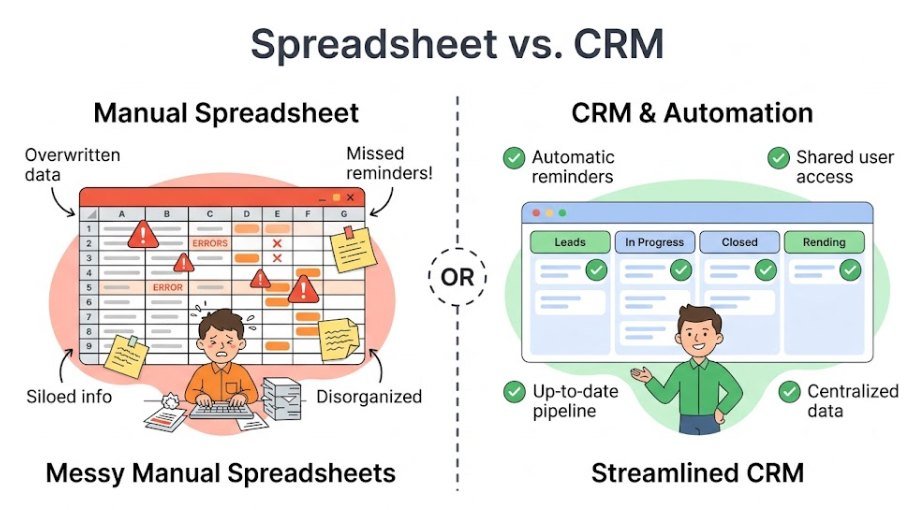
No. Excel is a spreadsheet, not a CRM. You can use it to store a customer list, and many small businesses do. But it was not built to manage relationships. Automation Agency notes that many salespeople still rely on spreadsheets and email for customer information, and it is a common source of lost leads.
| What you need | Excel | CRM software |
|---|---|---|
| Store contact details | Yes | Yes |
| Remind you to follow up | No (manual) | Yes, automatic |
| Show every past conversation | No | Yes |
| Track deals by stage | Hard to do | Yes, visual pipeline |
| Share safely with a team | Messy, easy to overwrite | Yes, with user roles |
| Build sales reports | Manual work | Built-in |
| Cost | Low or free | Free plans available |
If you only have a handful of customers, Excel is fine. Once you have more than you can remember, a CRM saves time. And as you will see below, several good CRMs are free.
Way 1: Centralize Customer Data in One Place
This is the most basic use, and the most important. Put every customer detail in one system instead of five. Names, emails, phone numbers, notes, past purchases, and emails sent. Anyone on your team can open a customer’s page and see the full story.
It matters more than flashy features. SuperOffice cites Software Advice showing that contact management is the feature CRM users ask for most (94%). To bring this idea to your whole business, see our guide on organizing business operations with software.
Quick tip: Start with the basics: name, email, phone, source (where they found you), and a notes field. Add more fields later only if you will actually use them.
Way 2: Track and Manage Your Sales Pipeline
A sales pipeline shows where each deal stands. Think of it as a board with columns. Each deal moves from left to right until you win or lose it. Mria CRM gives this example of stages:
- Lead: Someone shows interest.
- Contacted: You have reached out.
- Demo or meeting: You show what you offer.
- Proposal: You send a price.
- Won or lost: The deal closes.
The pipeline helps you spot deals that are stuck. If a deal sits in “Proposal” for three weeks, you know to follow up. Apptivo also suggests customizing your stages to match how your business really sells.

Way 3: Automate Follow-Ups and Repetitive Tasks
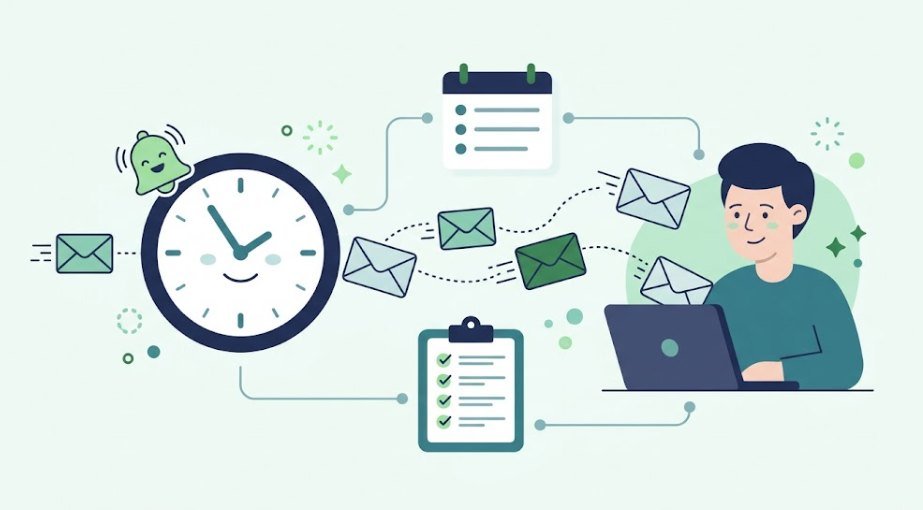
Many sales are lost simply because nobody followed up. A CRM can do this boring work for you. It can send reminders, create tasks, and send emails at the right time.
Apptivo lists common things to automate. Good beginner picks are:
- Welcome emails for new leads and customers.
- Follow-up reminders after a quote or meeting.
- Win-back emails for customers who have not bought in a while.
Want to go further? Read our guide on how to manage business tasks with digital tools.
Way 4: Segment Customers and Personalize Outreach
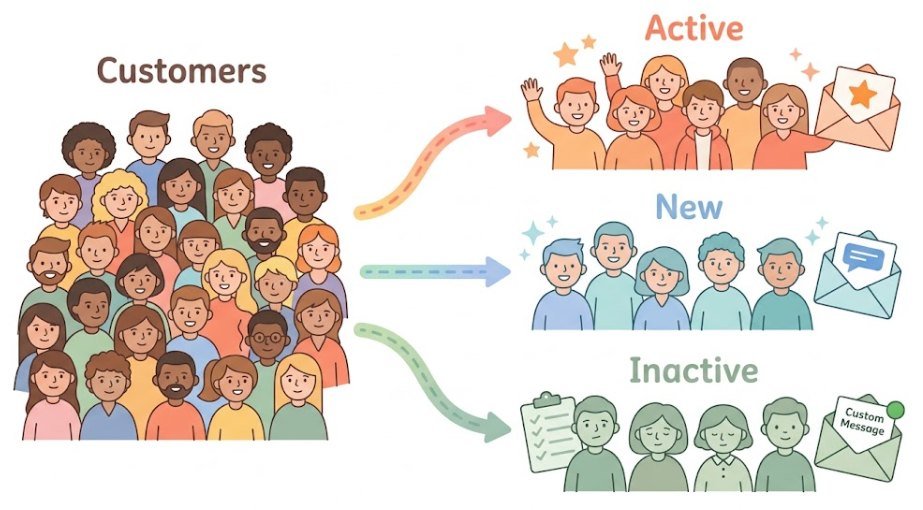
Segmenting means grouping customers by something they share. For example: new leads, repeat buyers, or customers in one city. Then you send each group a message that fits them.
People expect this. McKinsey research, referenced by Freshworks, found that about 71% of customers expect personalized experiences.
Easy groups to start with:
- By stage: New lead, active deal, past customer.
- By interest: The product or service they asked about.
- By value: Big spenders vs. one-time buyers.
Way 5: Improve Customer Service and Retention
Keeping a customer costs less than finding a new one. SuperOffice cites a Bain & Company report saying it can be 6 to 7 times cheaper. A CRM helps by showing a customer’s full history when they contact you. Your team does not have to ask the same questions twice.
Service quality matters to buyers too. NEX cites a Salesforce report saying 88% of customers believe the experience is as important as the product itself. Your CRM can also remind you to check in with customers you have not contacted in a while.
Try this: Set a reminder to contact every customer 30 days after they buy. Ask how it is going. It takes two minutes and builds trust.
Way 6: Use Reports and Analytics to Forecast Sales
Reports show you what is working. A CRM can tell you how many leads you got, how many turned into sales, and how long deals take. Automation Agency explains that CRMs use past sales trends to estimate future sales. That helps you plan your budget and hiring.
You do not need dozens of numbers. Apptivo suggests setting a few KPIs and reviewing them weekly. Good ones to track:
- Number of new leads each week.
- Conversion rate: The share of leads that become customers.
- Average deal size and how long deals take to close.

Way 7: Connect Sales, Marketing, and Support Teams
When sales, marketing, and support use different tools, customers feel the gap. A CRM puts everyone on the same page. Marketing sees which leads are sales-ready. Sales sees what support has already told the customer.
Integrations take this further. Apptivo says a CRM should connect with tools like email, your website, customer service tools, and social media. If you use other platforms to run your business, our guide to business management software shows how they fit together.
Best CRM Software for Sales: Top 5 Compared
These five are popular, beginner-friendly picks. Prices below are starting prices checked in Sept–Oct 2026. They change often, so always confirm on the official site before you buy.
| CRM | Best for | Free plan? | Paid plans start at (per user/month) | Watch out for |
|---|---|---|---|---|
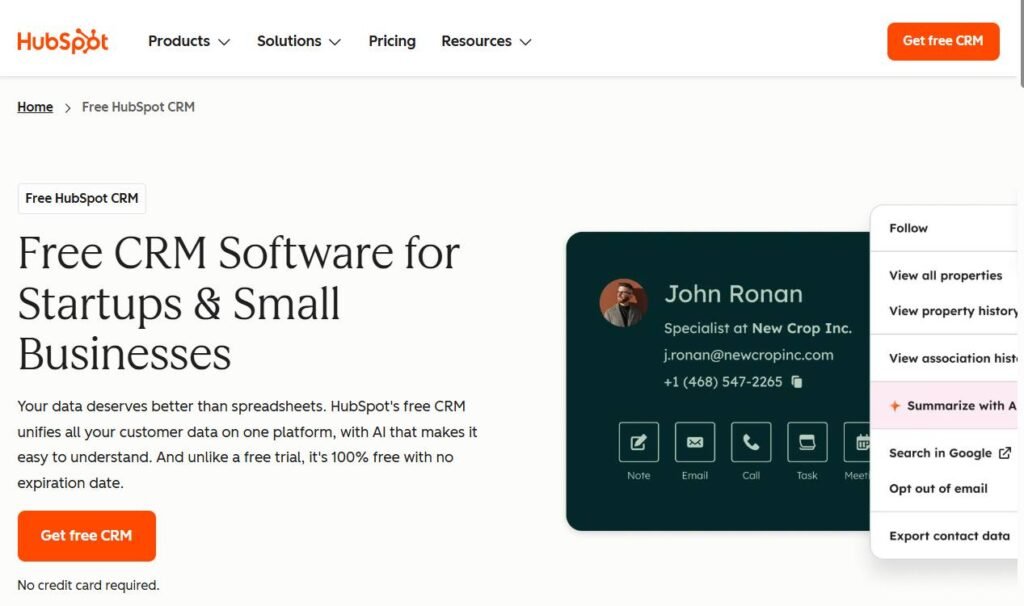
| HubSpot CRM | Beginners who want an all-in-one tool | Yes, up to 2 users | About $20 | Free plan has limits and HubSpot branding |
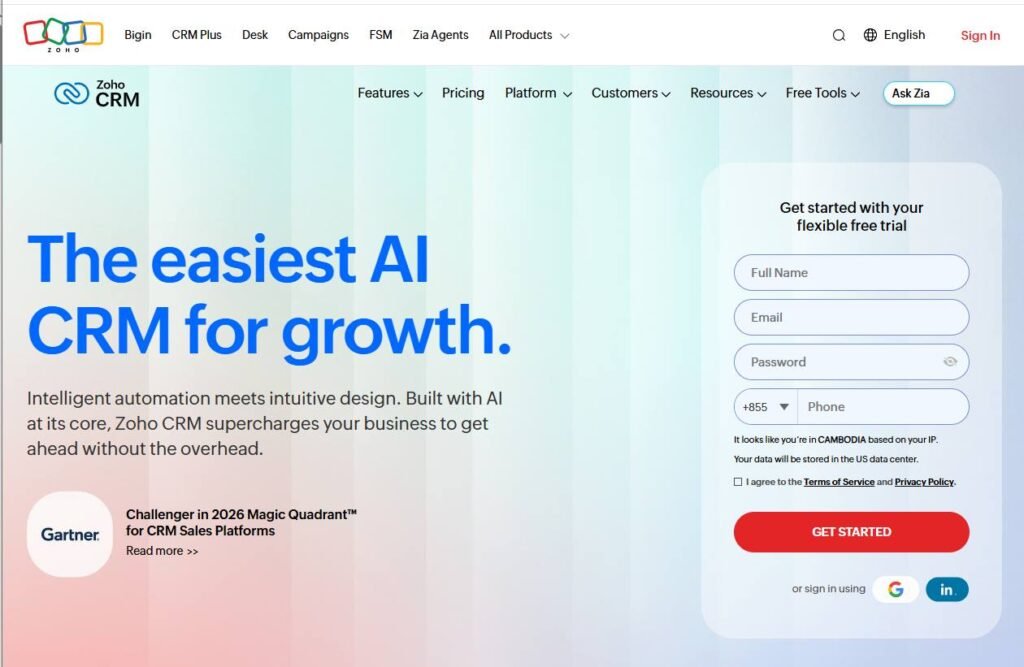
| Zoho CRM | Tight budgets and small teams | Yes, up to 3 users | About $14 (billed yearly) | Free plan has no AI and little automation |
| Salesforce Starter Suite | Businesses planning to grow big | Trial only | About $25 | Next tier is much pricier (around $100) |
| Pipedrive | A simple, visual sales pipeline | Trial only | About $14 (billed yearly) | Sales-focused; some reporting costs extra |
| Freshsales | Small teams who want low prices | Yes, limited | Roughly $9–$15 | Free plan limits vary, so check them |
Pricing sources: HubSpot, Zoho, Salesforce, and Pipedrive. Sources do not always agree, which is another reason to check the vendor’s own page.
What free CRM plans usually give you
- Contact and deal tracking
- A basic sales pipeline
- Simple reports and a mobile app
What you usually give up
- Limits on the number of users
- Advanced automation and AI features
- Removing the vendor’s branding
Quick picks:
- Just starting out: HubSpot or Zoho. Both are free.
- Tightest budget: Zoho. It has a free plan and a low-cost paid plan.
- Want something very simple: Pipedrive.
- Expect to grow a lot: Salesforce.
Not sure which fits? Our guide on how to choose the right business software walks through the decision step by step.


Common CRM Mistakes to Avoid
Buying a CRM does not fix anything by itself. These mistakes are the ones that most often cause it to fail.
- Messy data. Mria CRM says poor data quality is the leading reason CRM adoption fails. Remove duplicates and update records often.
- Low team adoption. If your team does not use it, it is useless. Show them how it saves them time.
- Too many features at once. Start with two or three. Add more once the basics become a habit.
- No clear goal. The Boutique COO suggests defining what you want first, such as better service or more sales.
- Never reviewing results. Check your numbers weekly, and adjust.
Remember: A simple CRM used every day beats a powerful one nobody opens.
How to Get Started: 5 Steps for Beginners
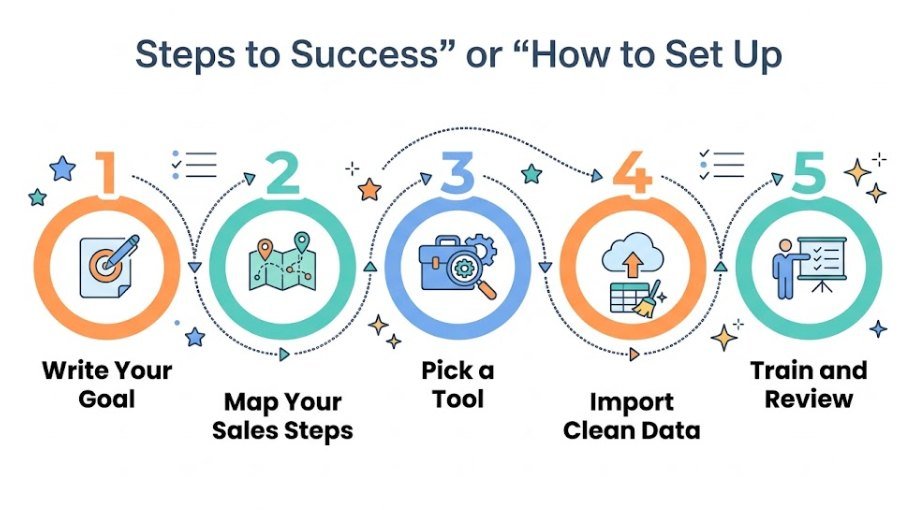
You can set up a basic CRM in an afternoon. Follow these steps.
- Write down your goal. Pick one: close more sales, follow up faster, or stay organized.
- Map your sales steps. List how a lead becomes a customer. These become your pipeline stages.
- Pick a tool. Try a free plan first. Test it with a few real customers before you commit.
- Import clean data. Fix your spreadsheet first (remove duplicates, fill gaps), then upload it.
- Train and review. Teach your team two or three core tasks. Review how it is going each week.
The Boutique COO gives the same advice: start with your process, not the software, and add advanced features later.
Frequently Asked Questions
What does CRM stand for?
CRM stands for Customer Relationship Management. It means the tools and habits you use to track and improve how you deal with customers. In everyday use, “CRM” usually means the software that stores your customer information.
Is Salesforce a CRM system?
Yes. Salesforce is one of the best-known CRM platforms. It is powerful, but it can also be complex and costly as you grow. Small teams often start with simpler or free options like HubSpot or Zoho.
Is CRM easy to learn and use?
Yes, the basics are easy. If you can use email and a spreadsheet, you can learn a CRM. Start with simple tasks like adding contacts and tracking deals. Most tools have free guides and videos to help you.
What are the 7 C’s of CRM?
They are a checklist for good customer care. One common list includes customer centricity, company culture, customer experience, customer data, customer journey, consumer experience, and expectation. Lists vary by source, so treat them as guidance, not a rule. See WalkMe’s explanation.
Is there a free CRM for small businesses?
Yes. HubSpot and Zoho both offer free plans that do not expire. They limit the number of users, so check the details. Free plans are a good way to learn before you pay.
When should a small business start using a CRM?
Start when you notice leads slipping through the cracks, or when more than one person deals with customers. For many small businesses, that happens sooner than expected. The Boutique COO makes the same point.
Do I need a CRM if I am a freelancer or work alone?
It can still help. A free CRM keeps your leads, reminders, and client notes in one place. That way nothing gets forgotten while you are busy with client work.
Final Thoughts
A CRM will not sell for you. But it makes sure no customer is forgotten, no follow-up is missed, and no useful detail is lost. Start small. Pick a free tool, set up your pipeline, and automate one follow-up. Then build from there.
Ready to take the next step? Read our guide on how to choose the right business software, then try one of the free CRMs above this week.
