
Do I need CRM software? For a solo owner, the real question is whether it will pay for itself. This guide gives you a six-question score, a simple break-even formula, and a clear answer for your business size.
It is easy to get the answer to “do I need CRM software?” wrong in one of two ways. You can buy too early and pay for a tool you never open. Or you can wait too long and lose leads to a slow reply.
You do not need a software review to avoid both mistakes. You need a way to measure the problem and a way to price the fix. That is what the sections below give you. Prices were checked in November 2026, when the SmartToolCentral team last reviewed this guide. Vendors change prices often, so confirm on the vendor page before you buy. You can read more about who we are on our about us page.
Quick answer: Do I need CRM software? Not always. If you have only a handful of repeat clients and never miss a follow-up, a spreadsheet is enough. If you have lost a lead to a slow reply, or your customer notes sit in three places, test a free CRM. Pay only when the free plan holds you back. This is a rule of thumb, not an industry standard.
What Does CRM Software Actually Do for a Solo Owner?
CRM stands for customer relationship management. IBM describes CRM as technology that manages customer data and every interaction with those customers. In plain words, it is one place that answers three questions: who is this person, what did we say last, and what happens next.
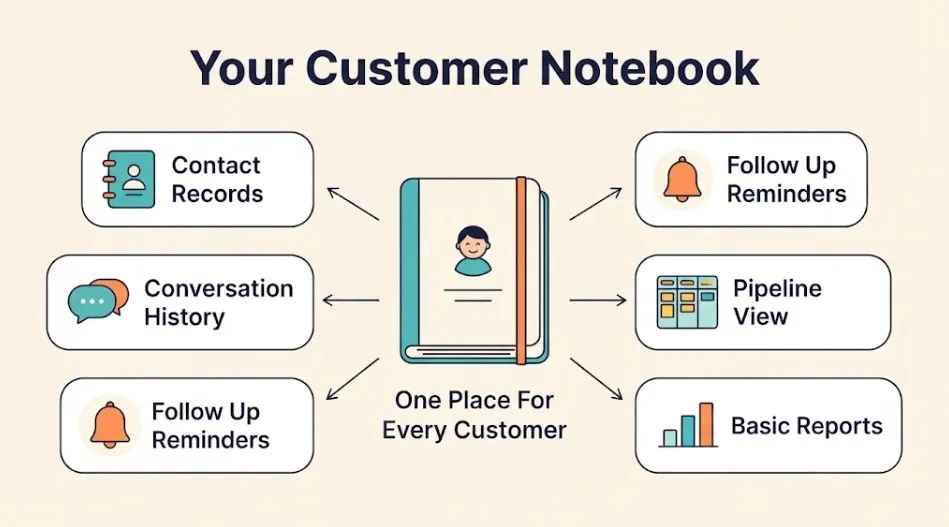
For a solo owner, a CRM does five jobs:
Contact records. One profile per customer, with phone, email, and notes.
Conversation history. Every call, email, and quote in one timeline.
Follow-up reminders. A task pops up so you do not rely on memory.
Pipeline view. A simple board that shows each deal by stage.
Basic reports. How many leads came in, and how many became paying customers.
A CRM does not fix a weak offer or slow service. It only makes your process visible. If you want to see what a CRM can hold, read our guide on what you can store inside a CRM.
7 Proven Signs You Need CRM Software
If you keep asking “do I need CRM software?”, start by reading each sign and counting how many sound like your week. These examples are written for one-person businesses.
1. You lost a lead because you replied late
Someone fills in your form on Monday. By Thursday, they have hired someone else. A Harvard Business Review study on online sales leads found that many of the companies it studied were slow to respond. A CRM can create a call-back task the moment a lead arrives.
2. Your follow-ups live on sticky notes
A starred email, a calendar alert, and a note by the phone all say “call Sam.” That works until one of them gets lost. One list of tasks is safer than three.
3. You cannot recall what you said on the last call
You promised a quote by Friday, but you cannot remember the price you mentioned. Logging calls fixes this. Here is a simple guide on how to log sales calls in a CRM.
4. Customer details sit in three or more places
One customer is in your phone, your email, and your invoice app. Each shows a different number. Mistakes follow. A CRM keeps one record per customer.
5. You cannot say where last month’s leads came from
If you cannot tell which channel brings paying clients, you cannot spend your marketing time well. A CRM shows lead source next to the outcome.
6. You retype the same emails every week
Welcome notes, quote follow-ups, and appointment reminders are repeat work. A CRM can send them for you. See CRM automation examples for the first ones to build.
7. Your spreadsheet is starting to break
Formulas stop adding up. Duplicate rows creep in. You find two versions of the same file. A spreadsheet is fine for a list, but it struggles as a sales system.
Three or more signs make a strong case. Once you have a CRM, our guide on how to use CRM software to manage customer relationships shows what to do with it. If you are unsure whether your bottleneck is software or process, read when you need business software first.
Do I Need CRM Software? A 6-Question Score for Solo Owners
Answer yes or no to each question. Give yourself one point for every yes.
- Do new leads or inquiries reach you every week?
- Have you lost or forgotten a lead in the last three months?
- Do you track customers in three or more places?
- Do you send the same follow-up messages by hand?
- Are you unable to say where last month’s leads came from?
- Will a helper or contractor handle customers within the next 12 months?
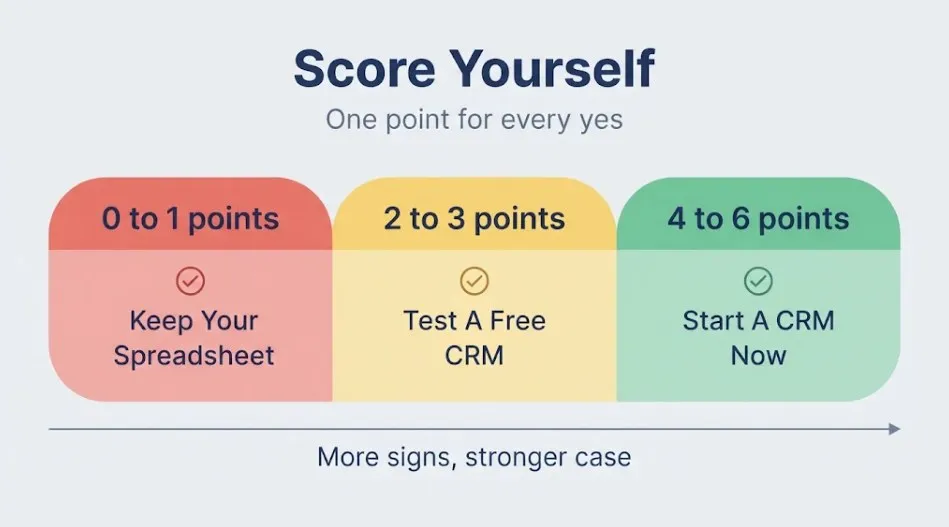
0 to 1 points: stay with your spreadsheet. A CRM would add cost without fixing a real problem. Check again in six months.
2 to 3 points: test a free CRM. The risk is low and you will learn fast whether you use it.
4 to 6 points: start a CRM now. Begin with a free plan and move to paid only if you hit its limits.
Question six matters for solo owners. A CRM gives the most value the moment a second person needs to pick up a customer conversation. So, do I need CRM software? Your score gives a first answer, but it is our own rule of thumb, so treat it as a guide, not a verdict.
When a Spreadsheet Is Still Enough (and When It Breaks)
Is Excel a CRM? No. A spreadsheet is a list. A CRM is a list plus reminders, conversation history, and a pipeline view. You can imitate some of that in a spreadsheet, but you build and maintain every piece yourself.
So, do I need CRM software if my spreadsheet still works? Not yet. A spreadsheet is enough when you have a short list of regular clients, you remember every conversation, and no lead has slipped through. In that case, a CRM would cost money and time without solving anything.
It breaks in a few predictable ways. Reminders depend on your memory. Notes get scattered across columns. Duplicates pile up. And the moment two people edit the file, versions drift apart. When you reach that point, you can move your list across without starting over. Follow these steps to move customer data into a new CRM.
Spreadsheet vs. Free CRM vs. Paid CRM: Side-by-Side
If you are still asking “do I need CRM software?”, you usually choose between three options. This table shows what each one gives you and where it falls short.
| Factor | Spreadsheet | Free CRM | Paid CRM |
|---|---|---|---|
| Monthly cost | $0 | $0 | From about $14 per user |
| Follow-up reminders | Manual, through your calendar | Basic tasks | Tasks plus automatic reminders |
| Conversation history | Typed notes | Contact timeline | Fuller timeline and email sync |
| Pipeline view | Build it yourself | Usually included | Included, often with several pipelines |
| Automation | None | Limited or none | Workflows and templates |
| Setup effort | Minutes | A few hours | A few hours to days |
| Best for | A handful of repeat clients | Steady leads, small budget | High-value deals or a growing team |
| Main risk | Missed follow-ups | Plan limits and upgrade prompts | Paying for unused features |
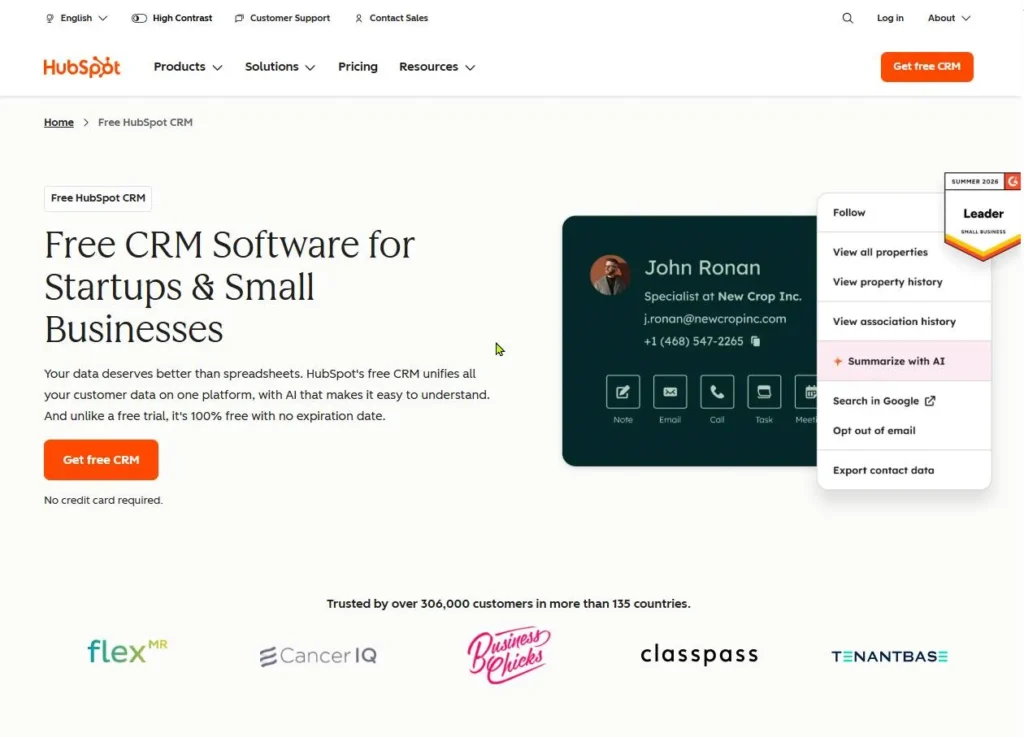
On the free side, HubSpot offers a free CRM, and Zoho CRM has a free edition for up to three users. Both cap what you get, and the caps change, so read the current plan page before you commit.
On the paid side, Pipedrive starts at $14 per seat per month on annual billing and offers a 14-day free trial rather than a permanent free plan. Paid Zoho plans start at a similar level. Monthly billing costs more than annual billing on most tools.
Which one fits your business size?
Solo owner with a few regular clients: keep the spreadsheet.
Solo owner with steady new leads: use a free CRM.
Solo owner with high-value deals, or one to two helpers: a paid plan is easier to justify.
If you reach the paid stage, check which features you will actually use. Our guide to CRM software features for small business covers what to keep and what to skip.
How Much Does CRM Software Cost for a Solo Owner?
The price tag is only one part of the cost. Count all three.
Software. Free to about $14 or more per user per month for an entry-level paid plan. Higher tiers cost far more.
Setup. Importing contacts, building a simple pipeline, and setting a few reminders. Plan on a few hours for a simple setup.
Your time. Logging calls and keeping records current. Expect an hour or two each month.
Your time is the cost most owners forget. A free CRM that you ignore costs nothing in fees but still wastes your setup hours. A cheap paid plan that you use daily can cost less than one missed deal. If you decide to go ahead, our steps to set up CRM software for a small business keep setup short.
Is CRM Software Worth the Cost? A Simple Break-Even Calculation
This is the part many “do I need CRM software” articles skip. Use two formulas.
Monthly cost = software fee + (hours per month × your hourly rate)
Break-even deals per month = monthly cost ÷ profit per deal
The result tells you how many extra deals the CRM must save each month to pay for itself. These three examples use illustrative numbers. Swap in your own.
| Example | Monthly cost | Profit per deal | Break-even |
|---|---|---|---|
| Freelance designer, free CRM | $0 + (1 hr × $50) = $50 | $500 | 0.1 deals a month, or one extra deal every 10 months |
| Consultant, paid plan | $20 + (2 hrs × $60) = $140 | $1,000 | 0.14 deals a month, or one extra deal every 7 months |
| Tradesperson, paid plan | $20 + (2 hrs × $35) = $90 | $150 | 0.6 deals a month, or about one extra deal every 2 months |
Here is how to read it. If the CRM only needs to save one deal every few months to cover its cost, it is an easy yes. If it needs to save a deal almost every month, the tool must work harder to earn its place, so start with the free option.
Be honest about the “extra deal”: A CRM only wins deals you would have forgotten or answered too late. If you never lose a lead, your gain is close to zero, and the spreadsheet stays the better choice. Treat any time saved on admin as a bonus, not the main case.
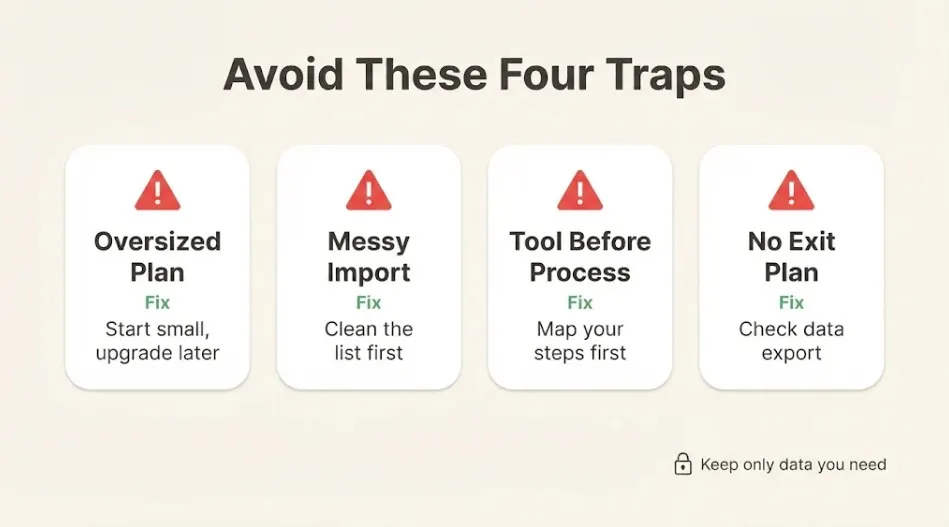
4 Costly Mistakes Solo Owners Make Before Buying a CRM
- Buying the biggest plan “to be safe.” You pay for features you will not touch for a year. Start small and upgrade when a real limit appears.
- Importing messy data. A dirty list gives you a dirty CRM. Delete duplicates and old contacts first.
- Choosing the tool before the process. Write down how an inquiry becomes a customer, then pick software that fits. Our guide on how to choose the right business software walks through this.
- Ignoring data protection and exit options. A CRM holds names, phone numbers, and sometimes payment notes. The FTC’s guide for businesses advises keeping only the personal information you need. Also confirm you can export your data if you leave.
Do I Need CRM Software in 2026? Will AI Replace It?
So, do I need CRM software in 2026? It depends on your score, not the calendar year. Missed follow-ups cost the same in 2026 as they did before.
On AI, the clearest trend is that vendors are adding it to their CRMs rather than replacing them. For example, Pipedrive now markets AI features across its plans. An AI assistant still needs a place to keep customer records, so the record and the assistant tend to live together.
Be careful with headlines that say CRM is dying. What is changing is how much you type by hand. Lighter tools now fill in more data for you. That makes a CRM cheaper in time, which helps solo owners most.
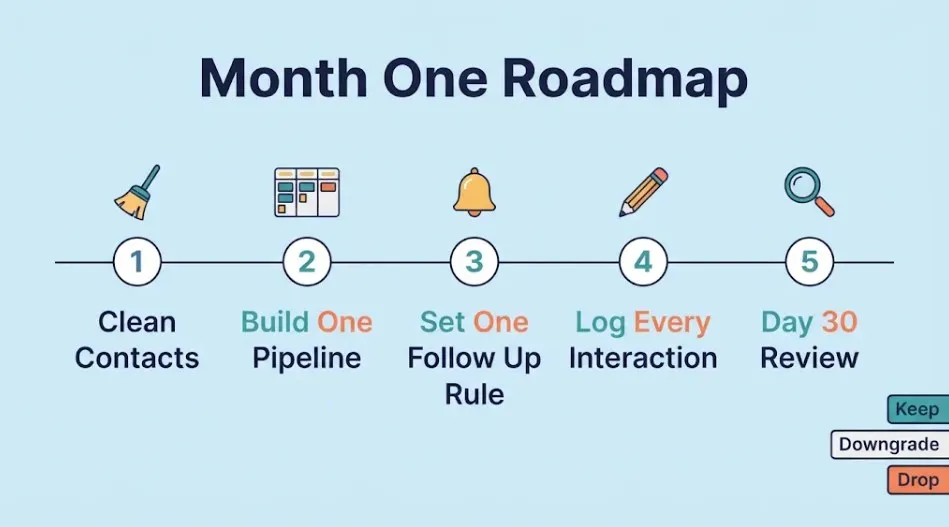
Your First 30 Days With a CRM (If You Decide Yes)
Do not try to use every feature. Do these five things in order.
- Clean your list. Remove duplicates and dead contacts before you import.
- Build one simple pipeline. Four or five stages is plenty. See these CRM pipeline examples for ideas.
- Set one follow-up rule. For example, every new lead gets a call task within one business day.
- Log every interaction for two weeks. Stop using the old system for new contacts.
- Review at day 30. Keep it, downgrade it, or drop it. Use the break-even formula with your real numbers.
For a full walkthrough, follow our guide to setting up CRM software for a small business.
FAQ: Do I Need CRM Software?
Do I need CRM software if I only have a few customers?
Probably not. If you know every customer and never miss a follow-up, a spreadsheet does the job. Revisit the decision when leads start arriving weekly or when you plan to bring in help.
Is Excel a CRM?
No. Excel stores a list. It does not remind you to call someone, log every email, or show who touched a deal last. For one person with a short list, that can still be fine.
Can I build my own CRM for free?
Yes, with a spreadsheet or a simple database. The catch is time. You must build the reminders, the pipeline view, and the history yourself, and keep them working. A free ready-made CRM often saves that effort.
Which CRM is beginner friendly?
Pick one that has a free plan or free trial and a simple pipeline. HubSpot, Zoho CRM, and Pipedrive are common starting points. Try one for two weeks before you decide. Our guide on CRM features for small business shows what to look for.
How much does CRM software cost for a solo owner?
From free to about $14 or more per user per month for an entry-level paid plan. Add your setup hours and a monthly hour or two of upkeep. Use the break-even formula above to see if the total makes sense.
When should I upgrade from a free CRM to a paid one?
Upgrade when a limit blocks real work. Common triggers are needing automatic follow-ups, adding a second user, or hitting a record cap. If the free plan still does the job, there is no reason to pay.
Will AI replace CRM software?
It looks more likely that AI will be built into CRMs than replace them. Customer records still need a home, and AI works best when it can read and update them.
Final Thoughts
So, do I need CRM software? Take the six-question score first. Then run the break-even formula with your own numbers. If both point to yes, start with a free plan, one pipeline, and one follow-up rule. If they point to no, keep your spreadsheet and check again in six months.
For more practical guides on picking and using the right tools, visit our business software hub.
